

Pot — iOS Mobile Application — UX/UI Design, Design System, Prototyping
Pot App
Overview
Pot is a mobile application that helps users identify plants using the camera, monitor their condition, and receive personalized care recommendations
I worked on personas and their stories, usage scenarios, design system, prototyping, and interaction with an AI assistant
I also adapted the interface for light and dark themes, ensuring visual consistency and comfortable perception
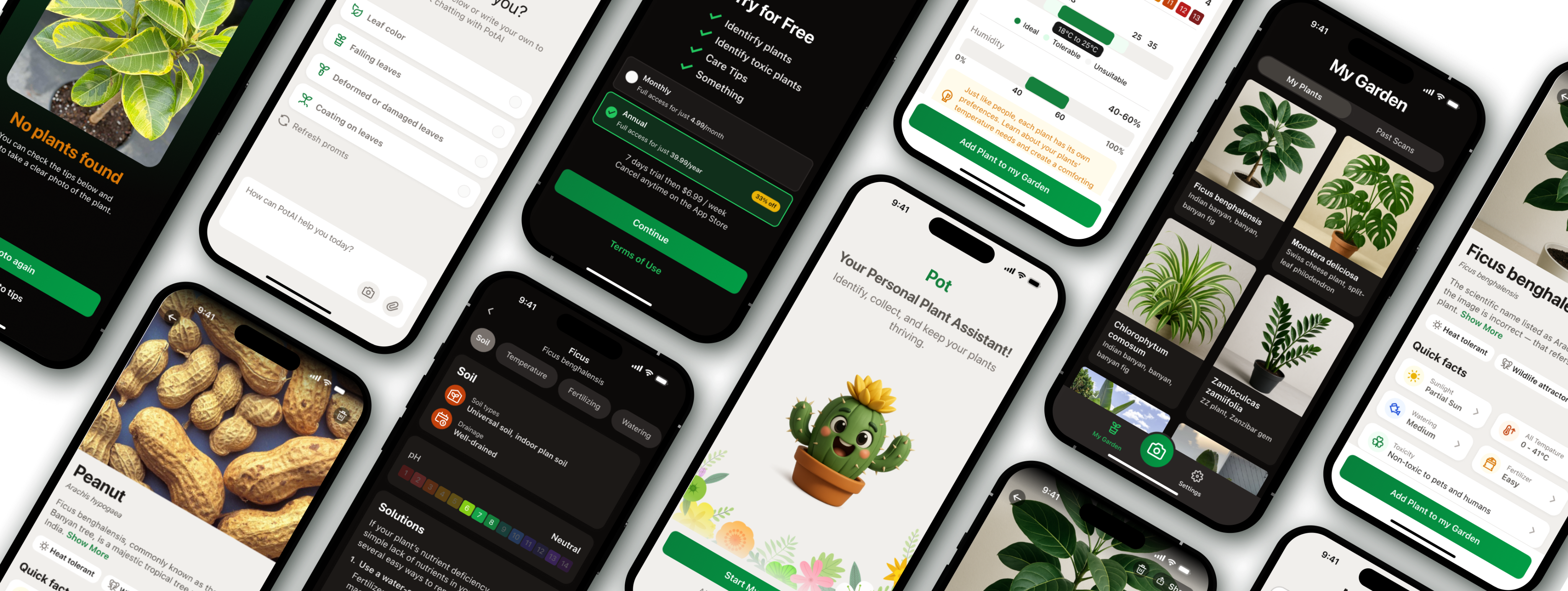
In addition, I developed a set of promo screens for the App Store that reflect key scenarios and benefits of the application, forming a cohesive visual brand perception
Role
UX/UI Designer
Key Responsibilities
Research, creation of user scenarios, visual design, prototyping, and design system development
Team
UX/UI designer, product manager, iOS developer
Timeline
5 – 6 months
Task Description
Most plant care applications are overloaded with functionality and fail to create an emotional connection with the user. The main goal of Pot is to make plant care a simple, clear, and enjoyable process.
The main goal of Pot is to make plant care a simple, clear, and enjoyable process.
The application should help people learn more about their plants, take care of them, and enjoy the experience
Competitor Analysis & Insights
To understand which UX solutions truly help users take care of plants, I tested 6 popular applications (PlantIn, Blossom, PictureThis, Plantum, Greg, Planto) and went through typical scenarios — plant identification, browsing plant cards, receiving care tips, and interacting with an AI assistant — and identified common user experience issues
Key Problems
- Overloaded onboarding: forms and ads interfere with an easy start
- Excessive text and terminology without visual cues make the interface feel heavy
- Non-transparent subscription system causes distrust and frustration
- Lack of emotions: assistants feel faceless, interaction feels mechanical
My UX Solutions
- Reduced onboarding to 5 lightweight steps with visual feedback
- Made plant cards structured and visually easy to scan
- Added the Pot AI assistant — a friendly character that helps through dialogue
- Implemented a clear subscription system with explanations and benefits shown directly in context
As a result, a combination of AI recognition, gamification, and visual comfort was created, making plant care feel natural and enjoyable.
User Research
To design an experience that truly helps people take care of plants, I studied user behavior and motivations through interviews and observation of usage scenarios in similar applications
Key Personas

Anna, 28 years old
beginner plant enthusiast
Buys houseplants for comfort. Is afraid of “damaging” them and looks for simple step-by-step advice. Uses the app in the evening at home, often on an iPhone. It is important for her to see visual hints and quickly understand what to do with a plant

Dmitry, 36 years old
passionate collector
Takes care of dozens of plant species, wants to systematize care and receive accurate data. Often uses the app both at work and at home, adds notes for each plant. Values structure, precise parameters, and advanced features

Olga, 45 years old
busy mom
Wants the app to “guide her by the hand” and remind her about watering. Rarely opens the app intentionally — it is more convenient to receive short notifications and tips at the right moment. Prefers a friendly and clear interface without excessive text
Core Scenarios
Identify a plant using the camera
Get plant care recommendations
Track plant condition and reminders
Communicate with an AI assistant for quick tips
UX Flow Design
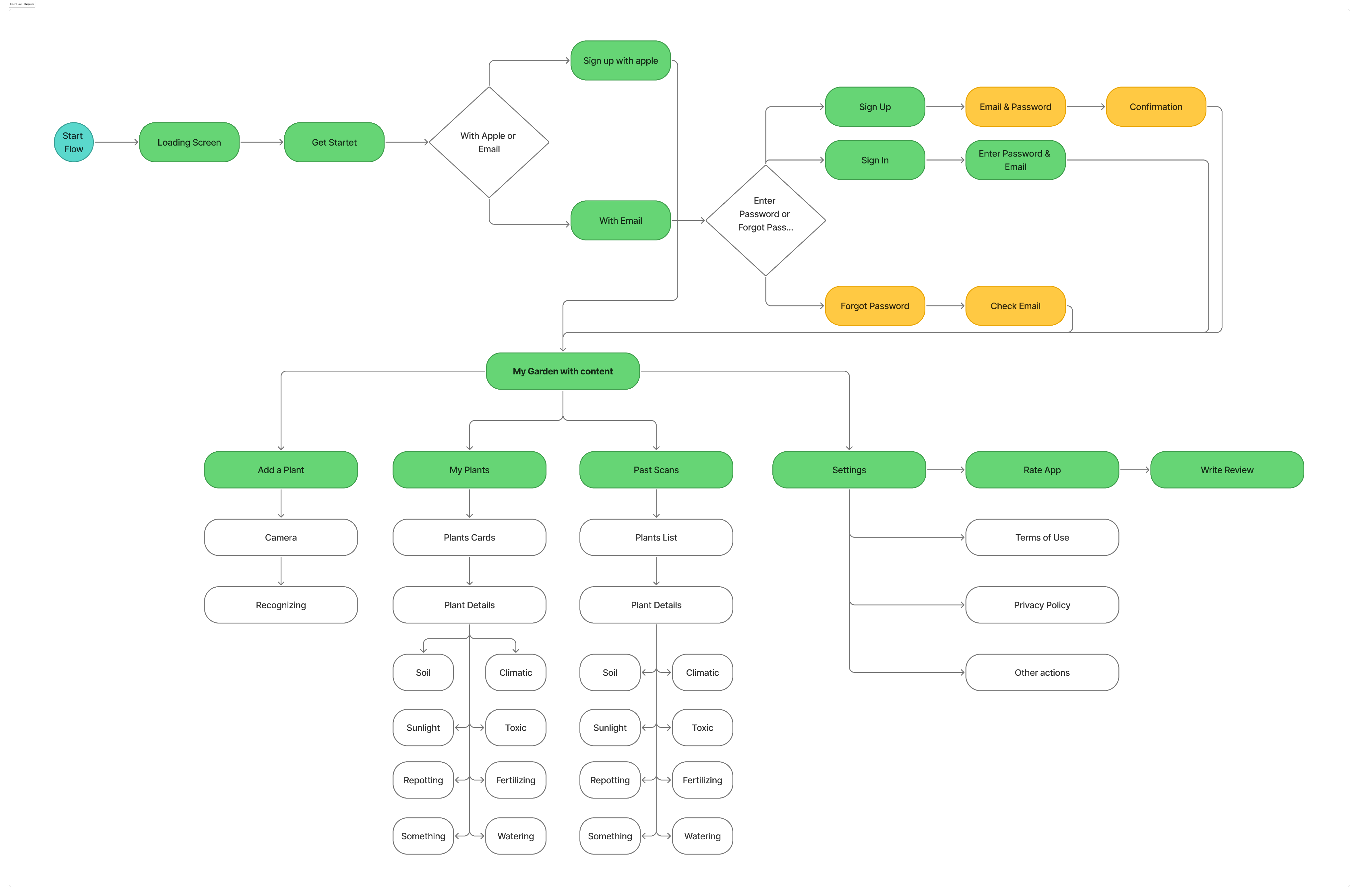
After analyzing user behavior and scenarios, I visualized the complete user flow of the application. It helped structure interactions — from the first launch to regular plant care — and identify where the user needs support from the AI assistant
Flow Diagram
UI Implementation
The final design conveys an atmosphere of care and comfort: visual comfort, friendliness, and an emotional connection with the user. The Pot AI assistant became the center of the experience, helping users take care of plants step by step. The interface is adapted for light and dark themes to ensure comfortable interaction at any time of day.
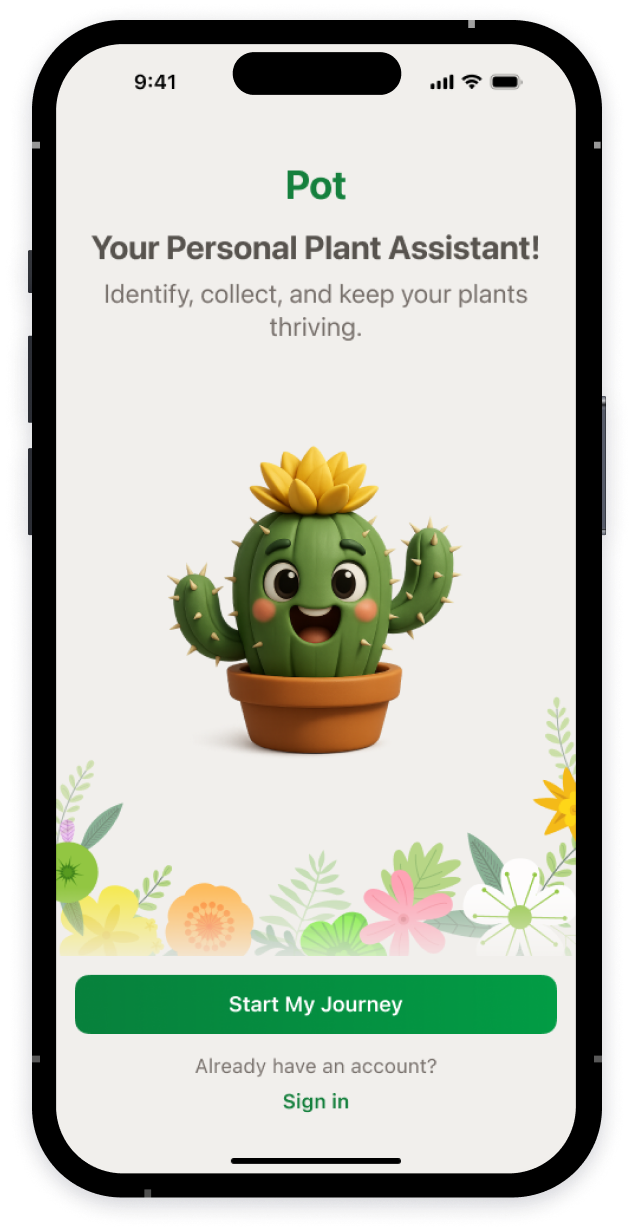
Warm Start
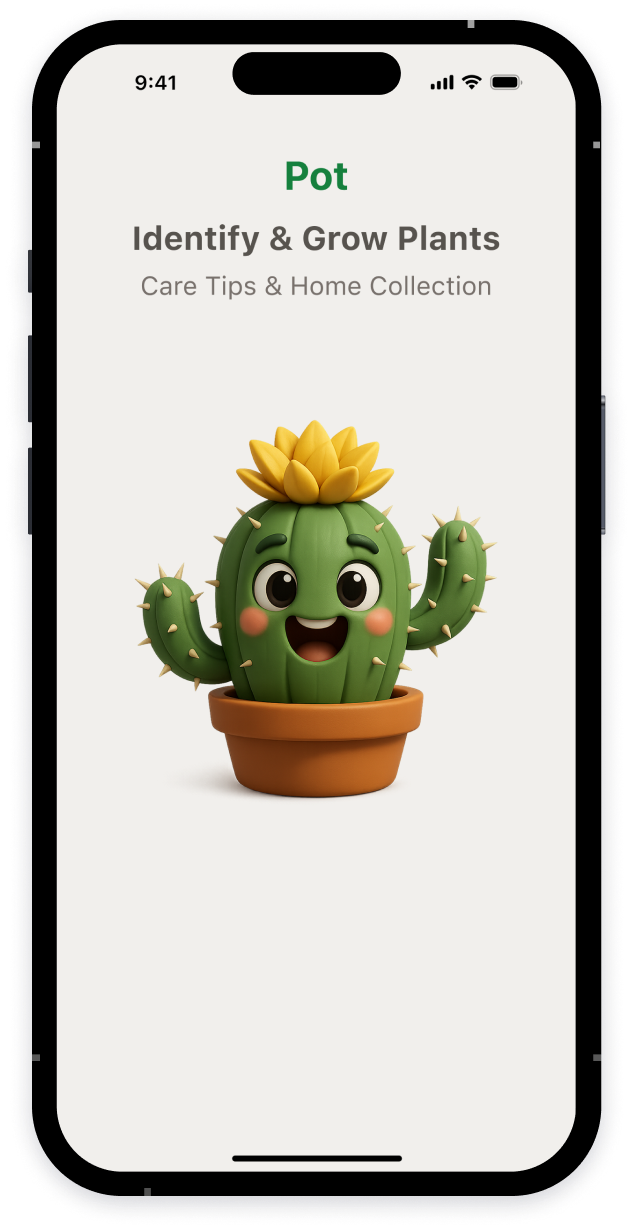
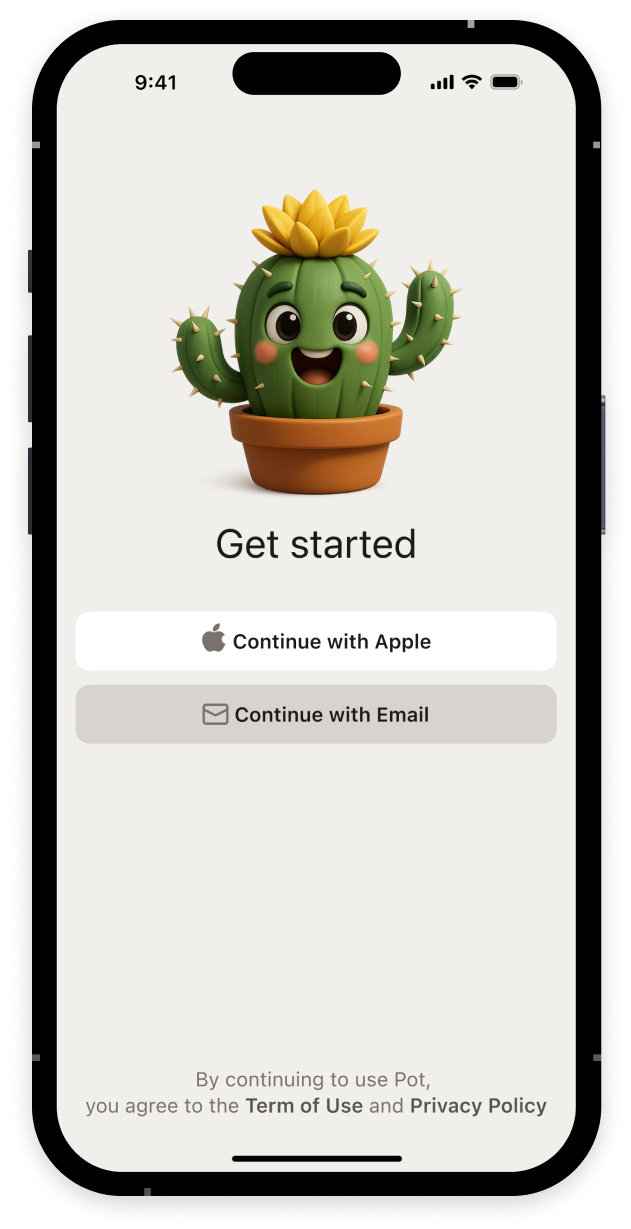
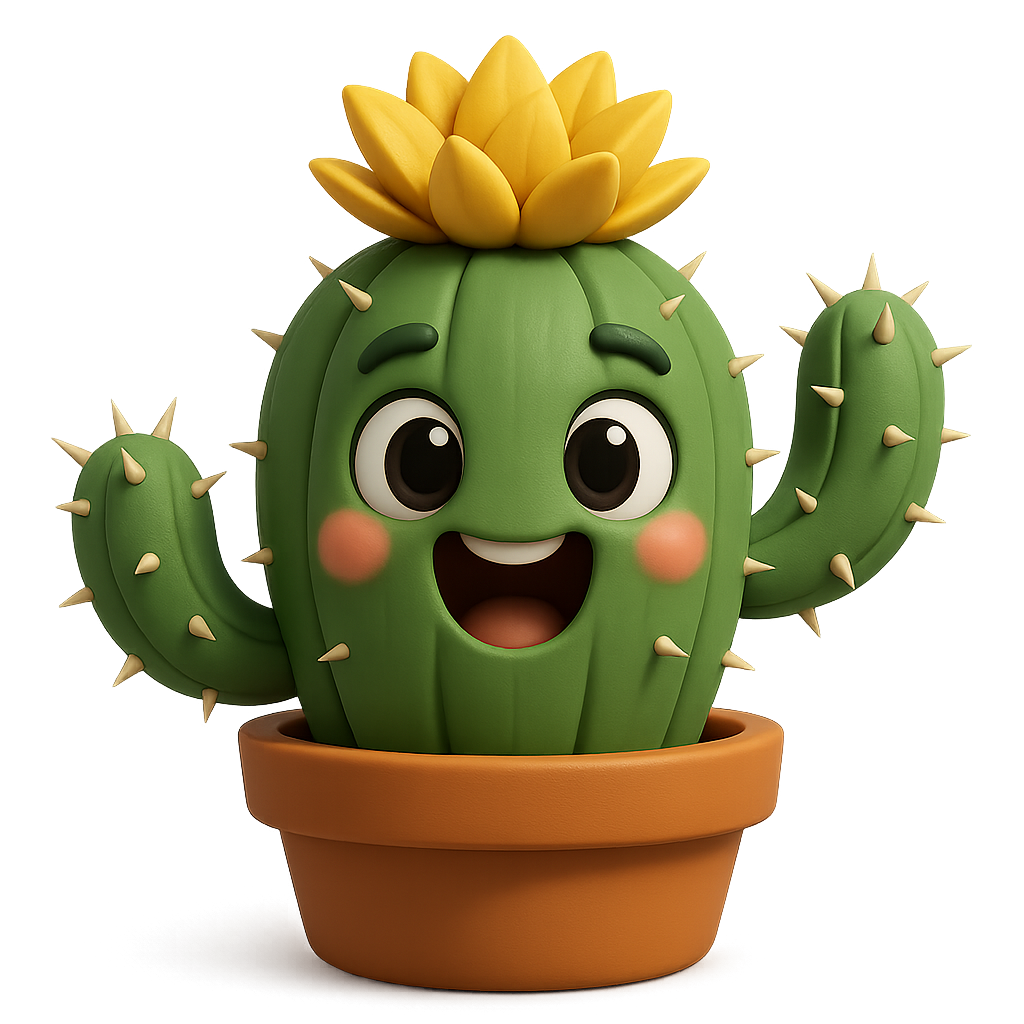
The Pot character instantly evokes sympathy and lowers the barrier before the first action
App Login
The user can get started with Apple ID or email in one click


9:41


Sign in with your email
Password

Sign In
Don’t have an account yet?
Sign up
Forgot you password?


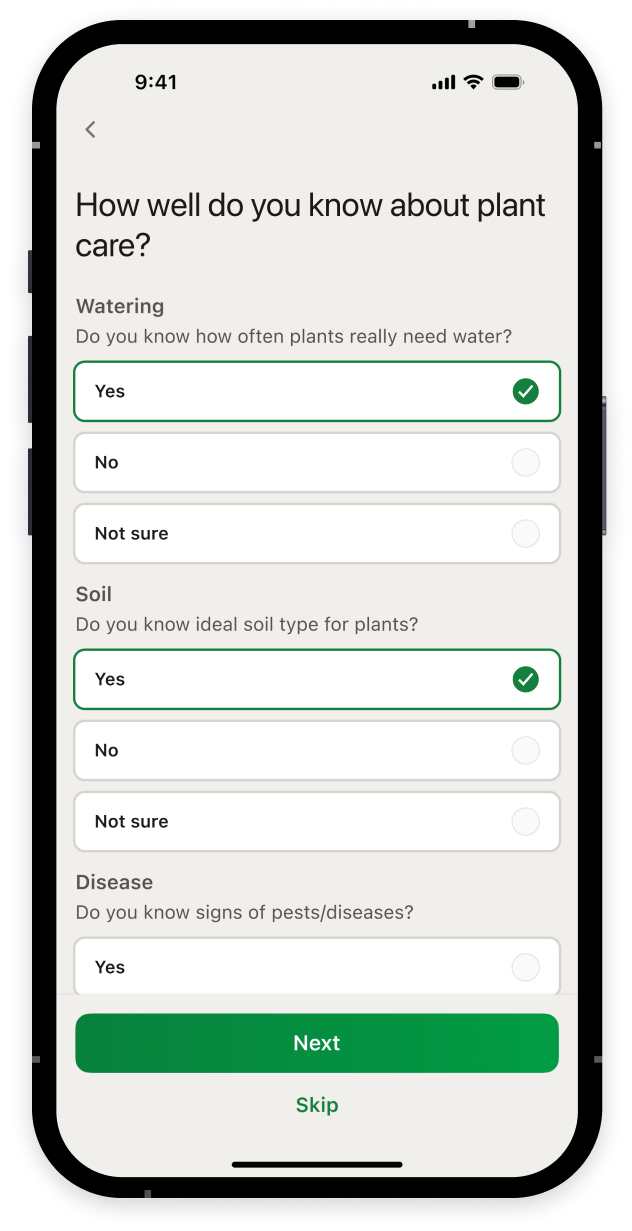
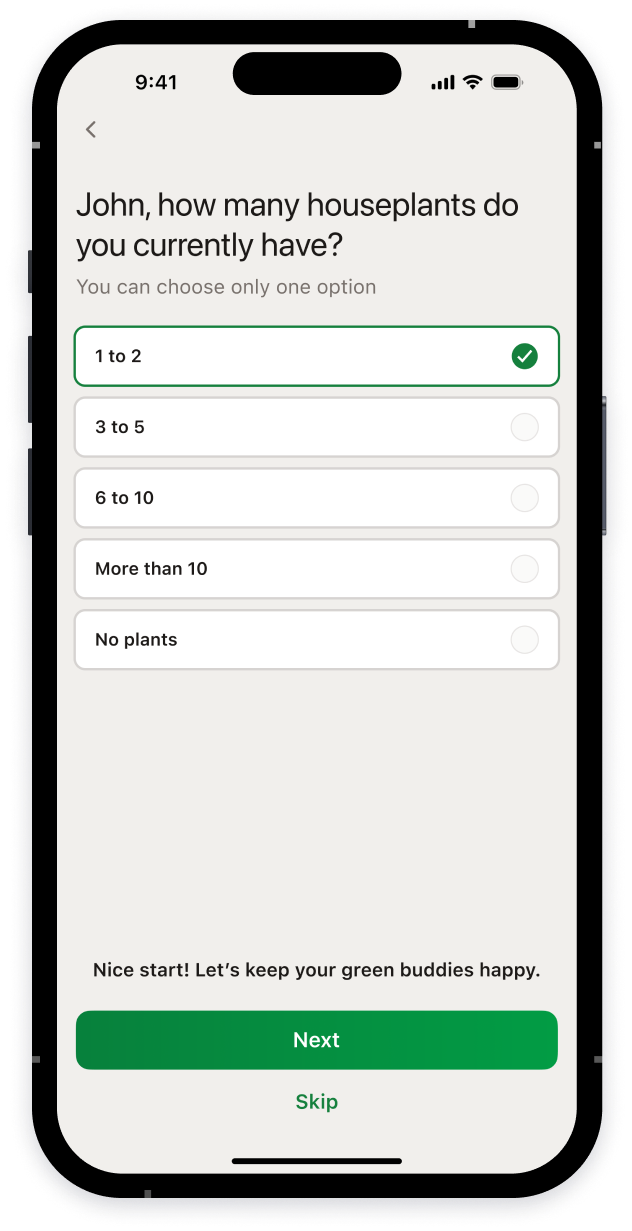
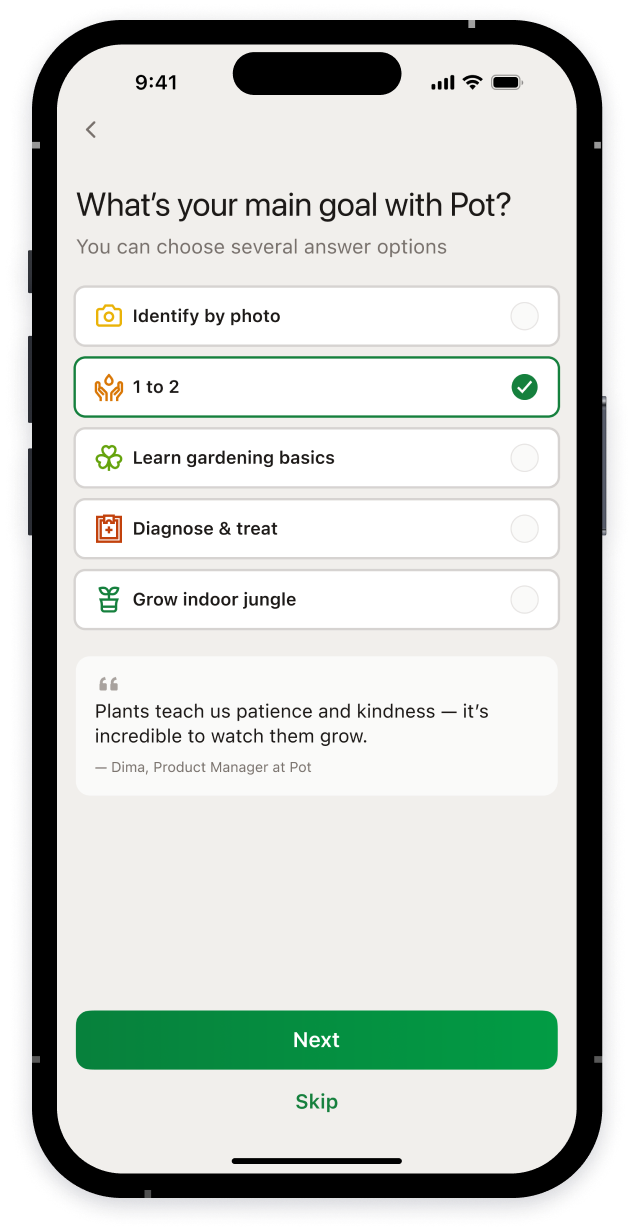
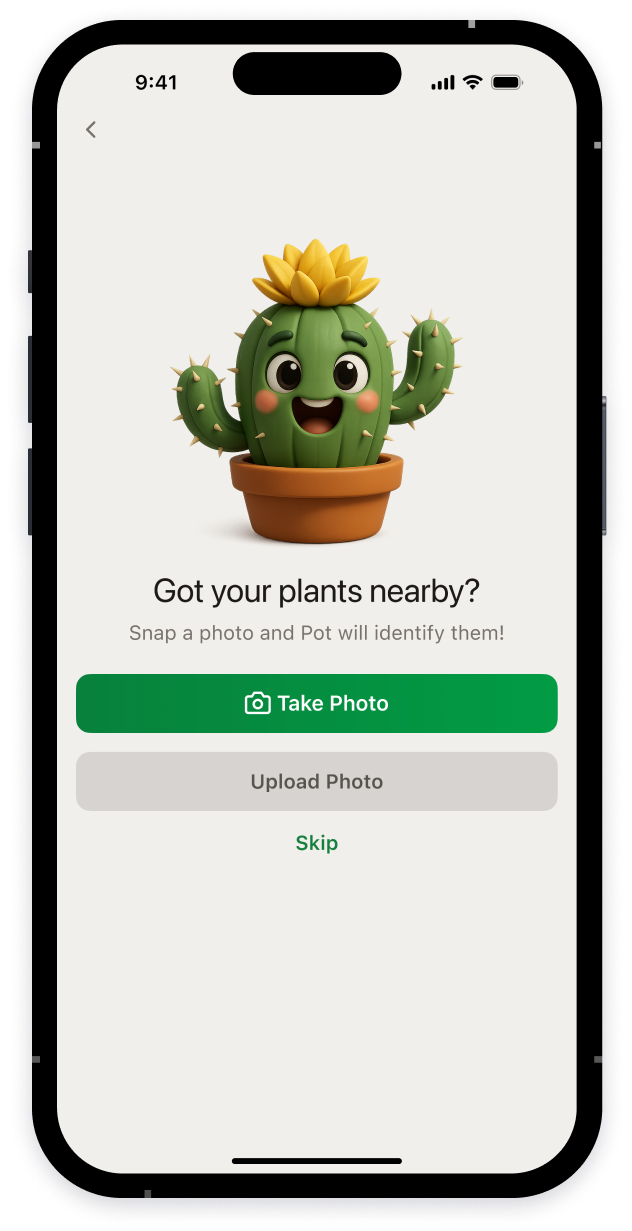
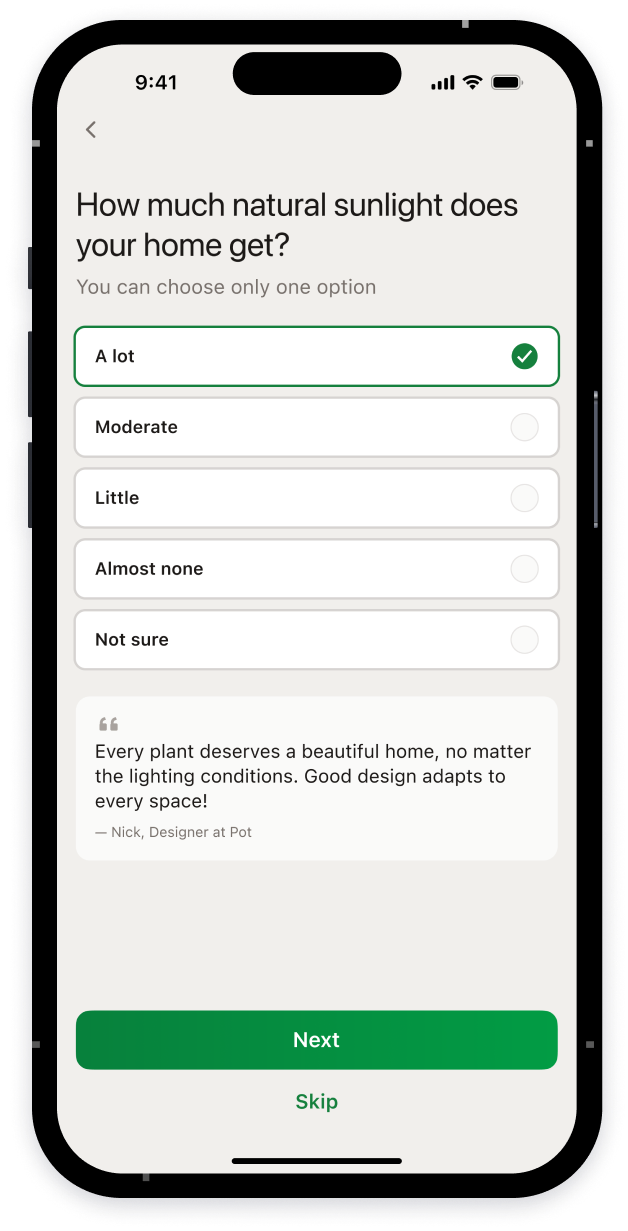
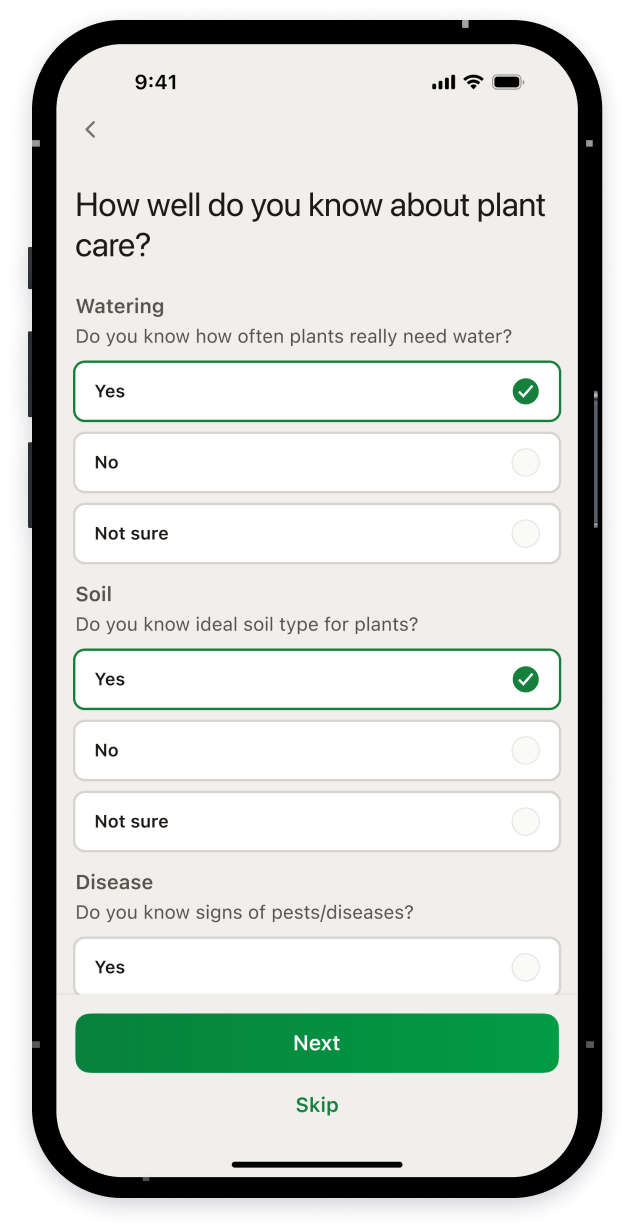
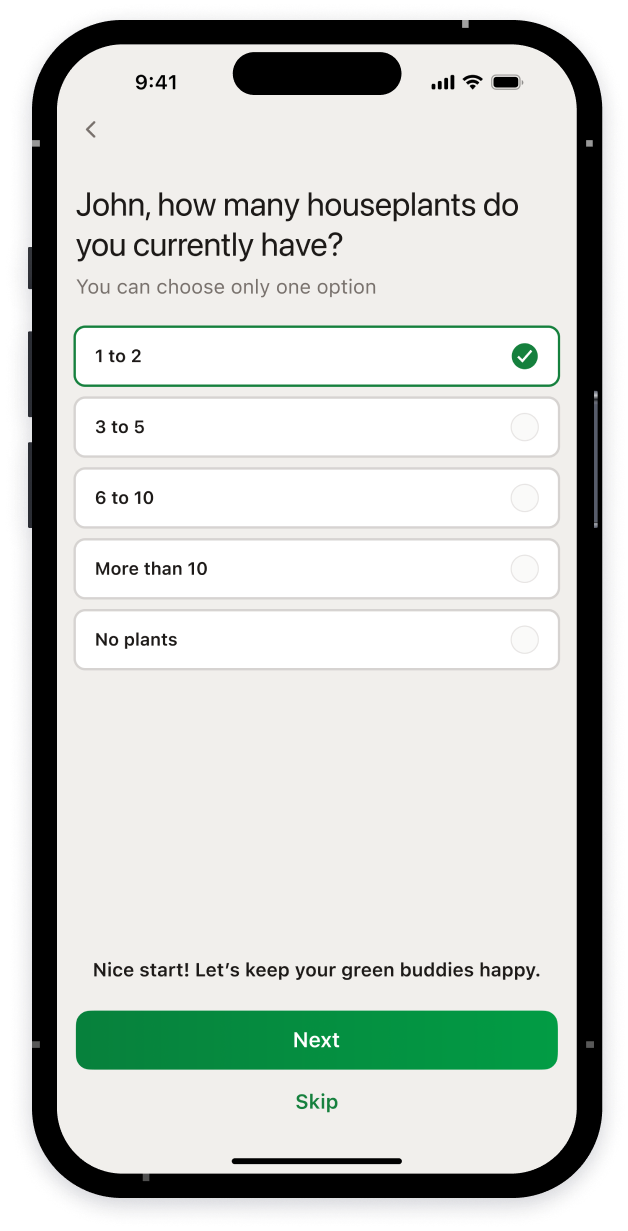
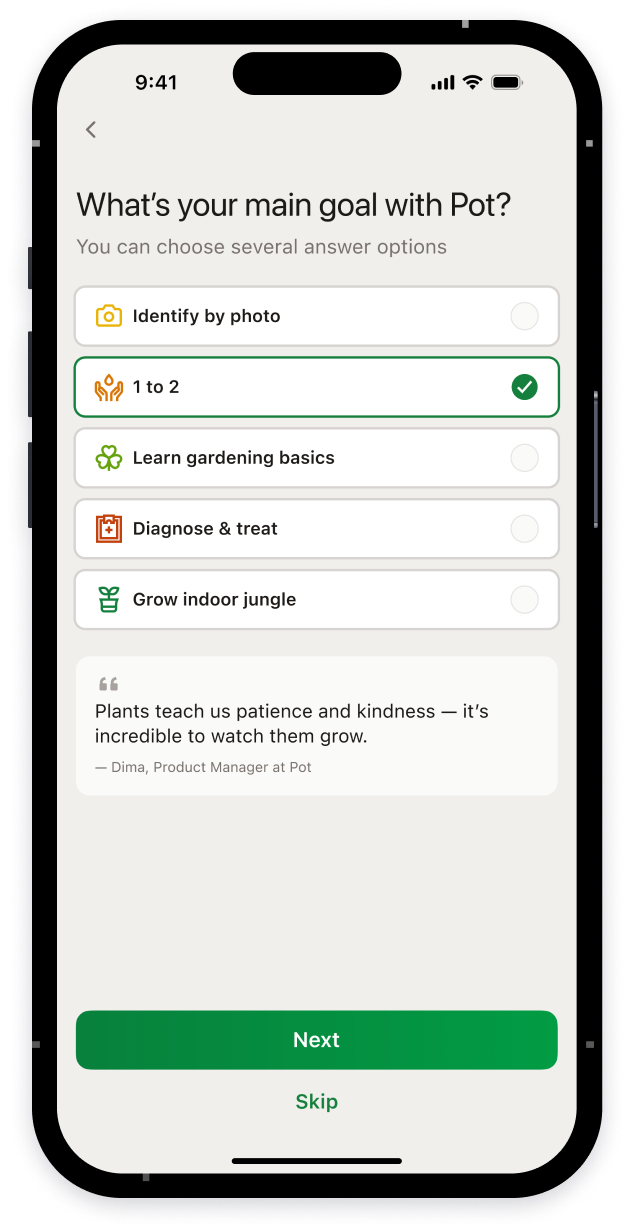
Onboarding
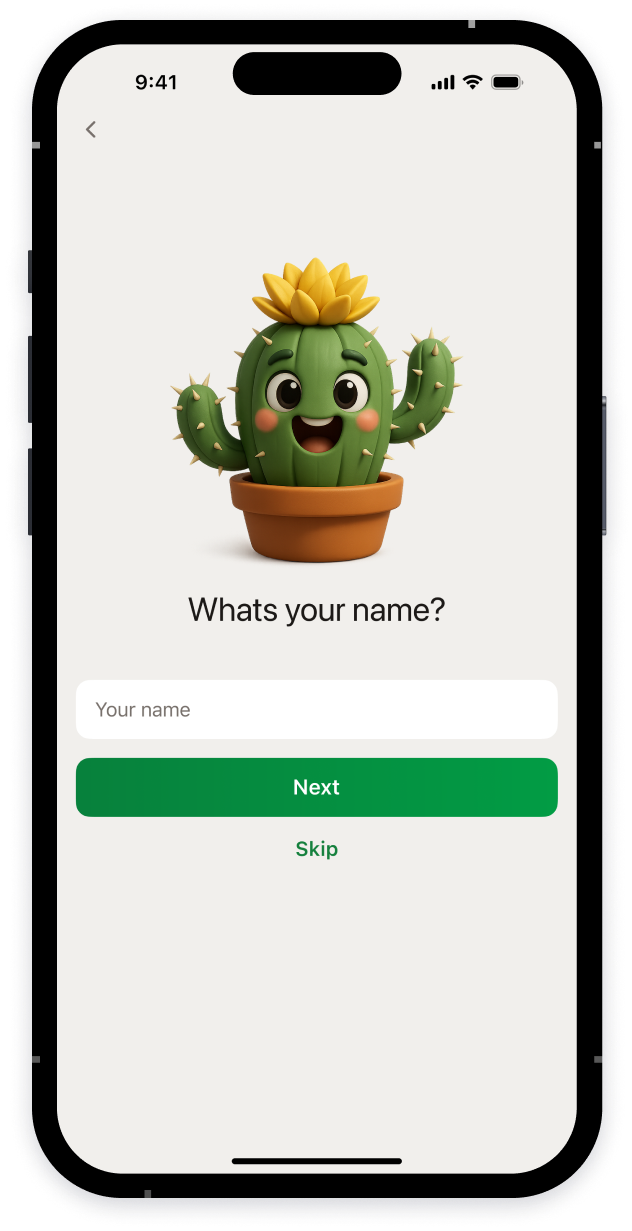
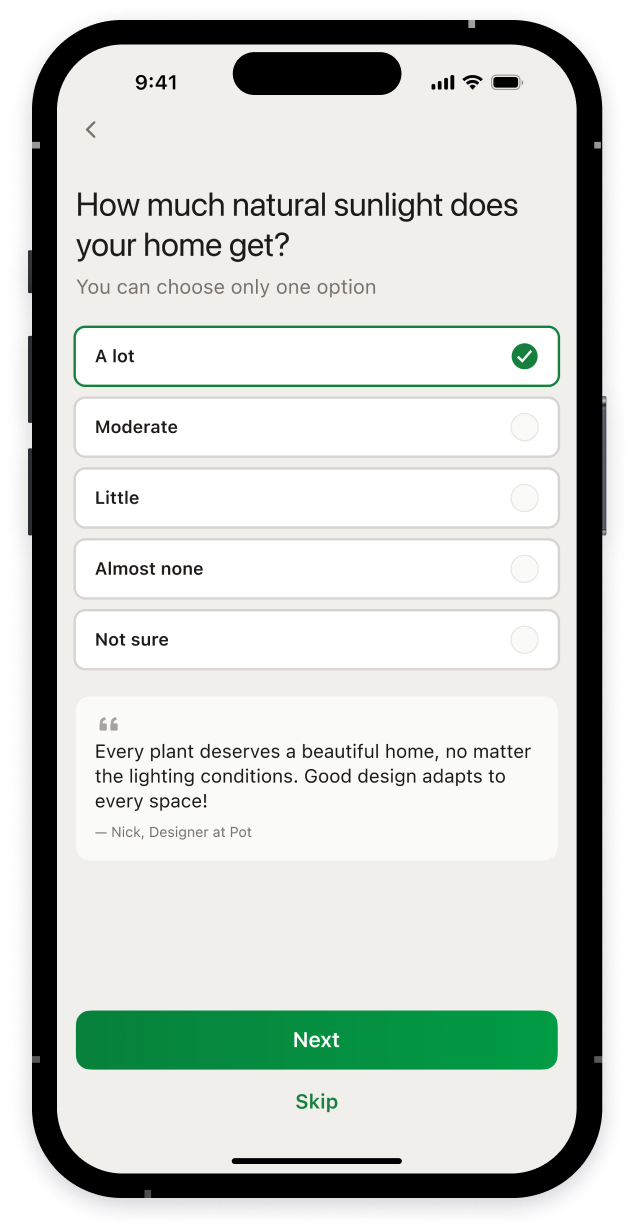
Short questions help customize the app based on the user’s experience, home conditions, and goals
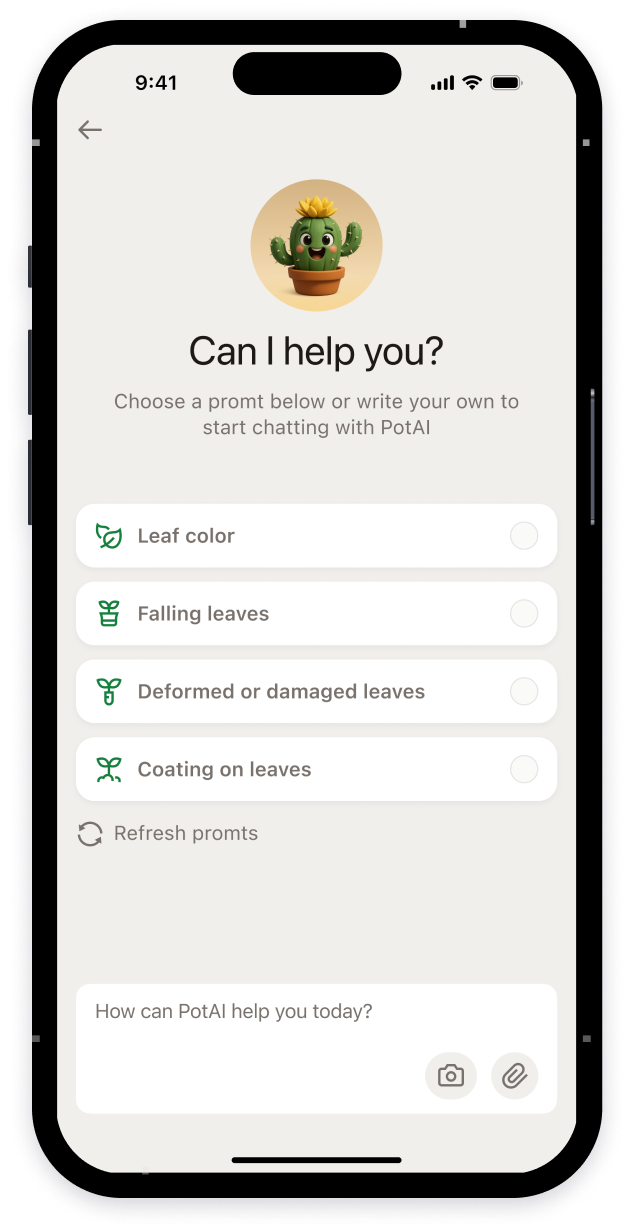
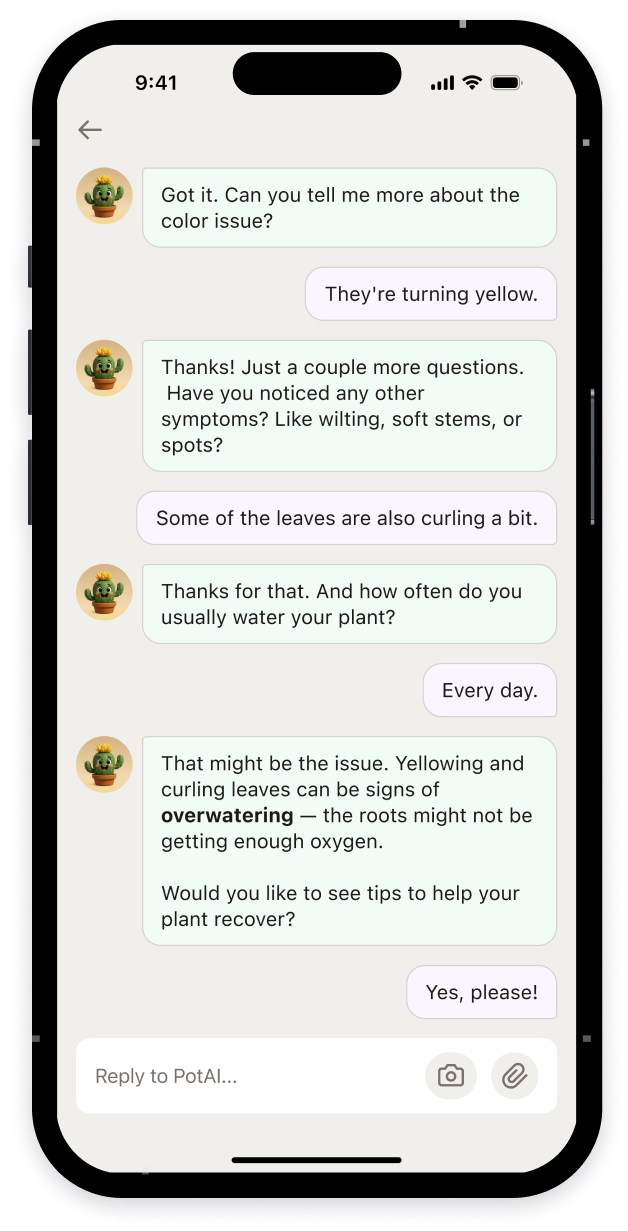
Pot AI Assistance
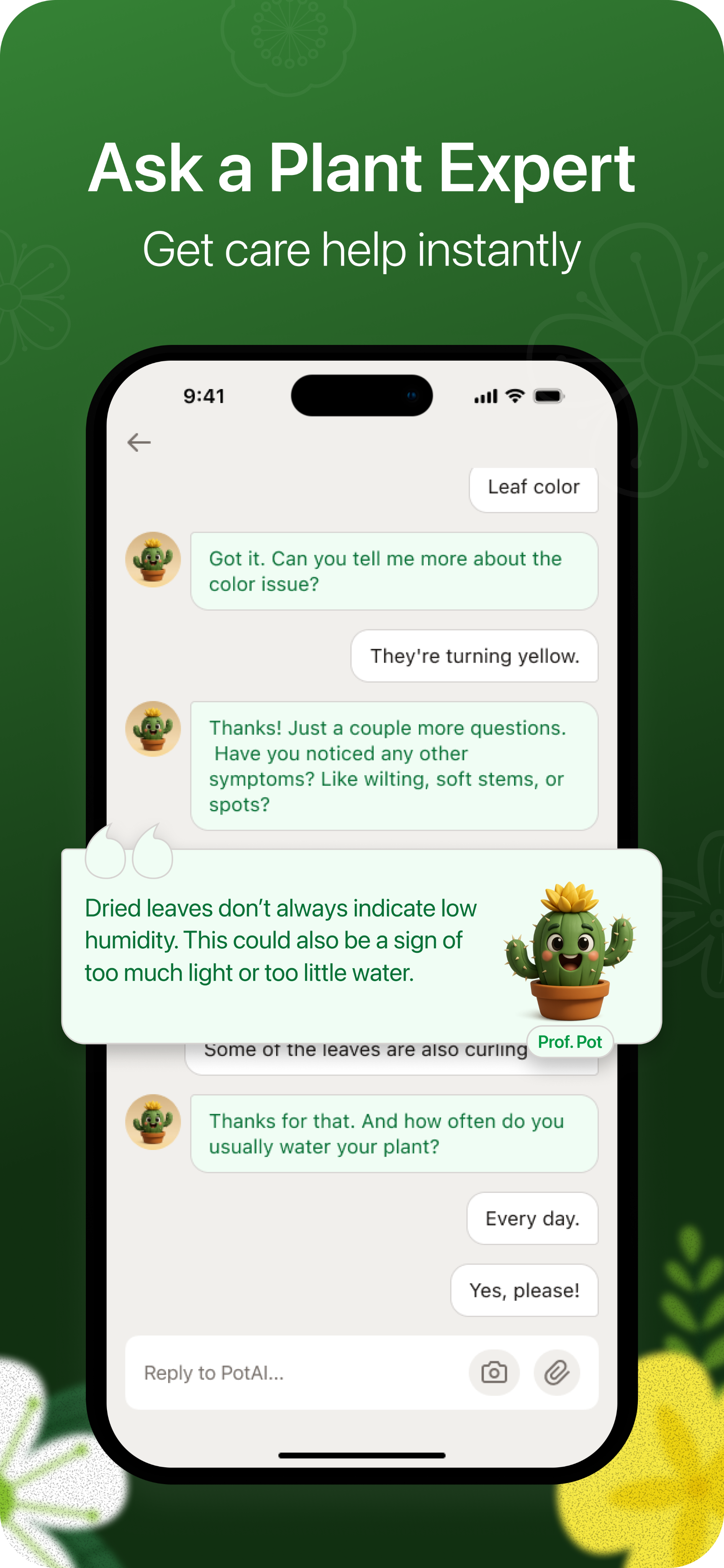
The AI assistant asks clarifying questions about symptoms and provides recommendations, helping the user diagnose plant issues
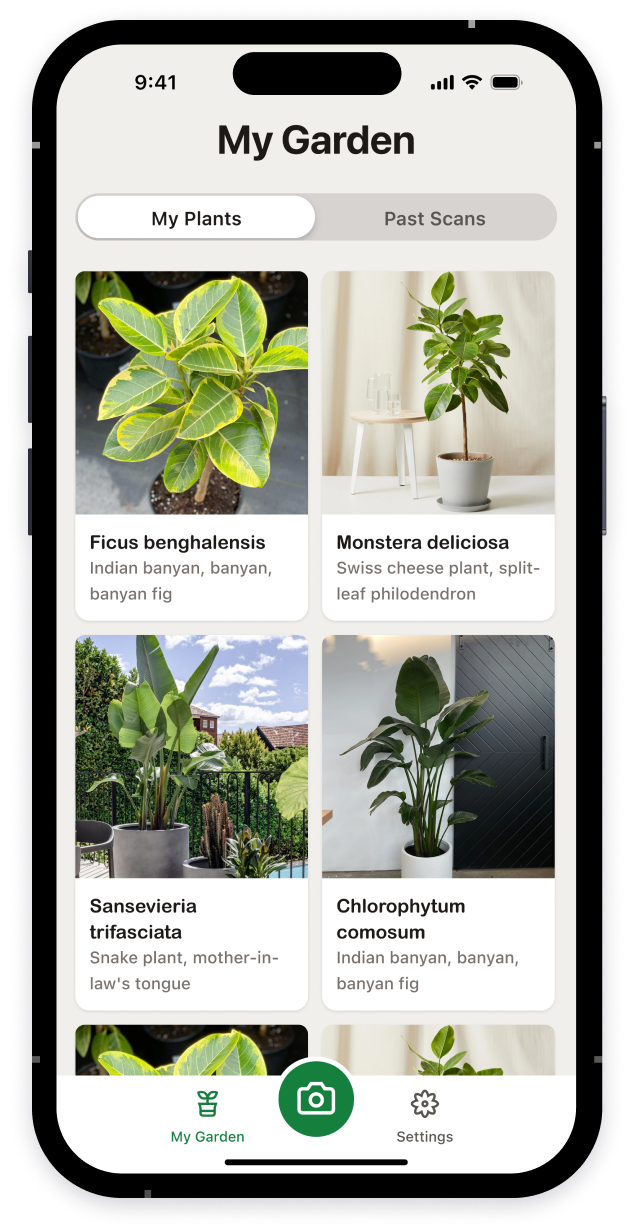
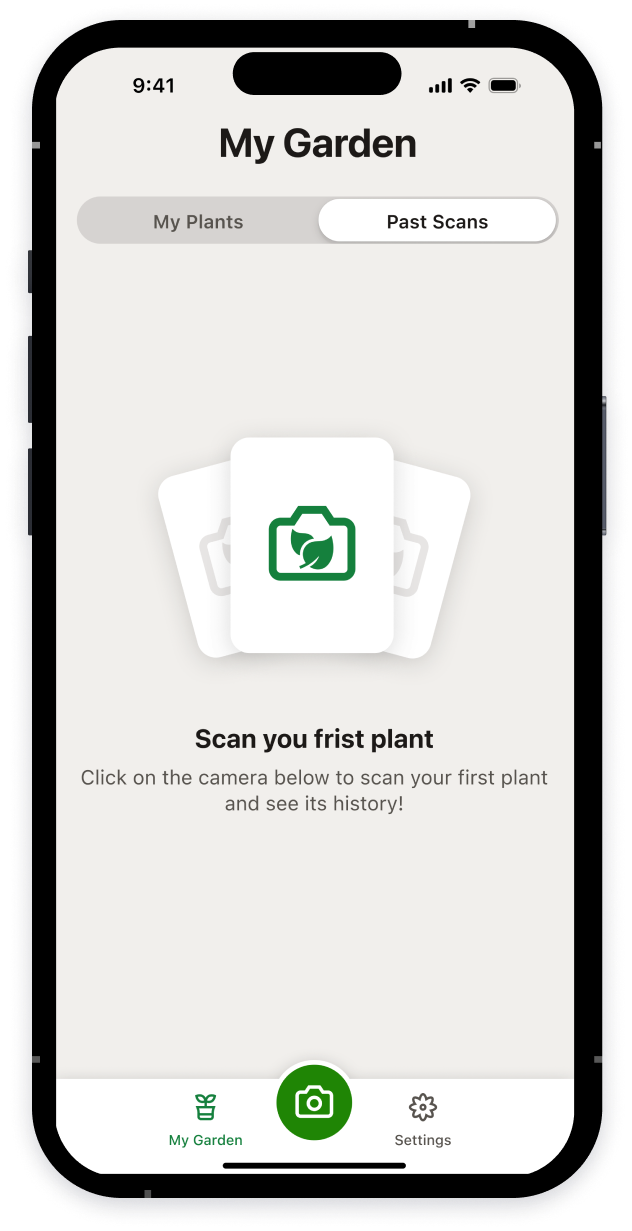
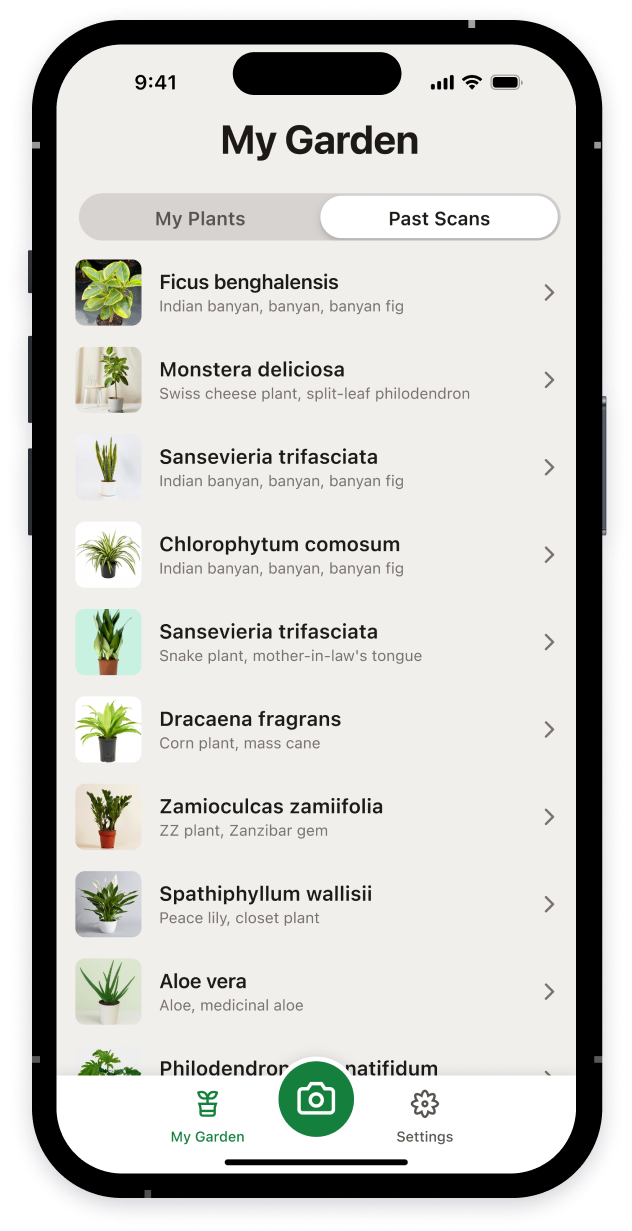
Personal Digital Garden
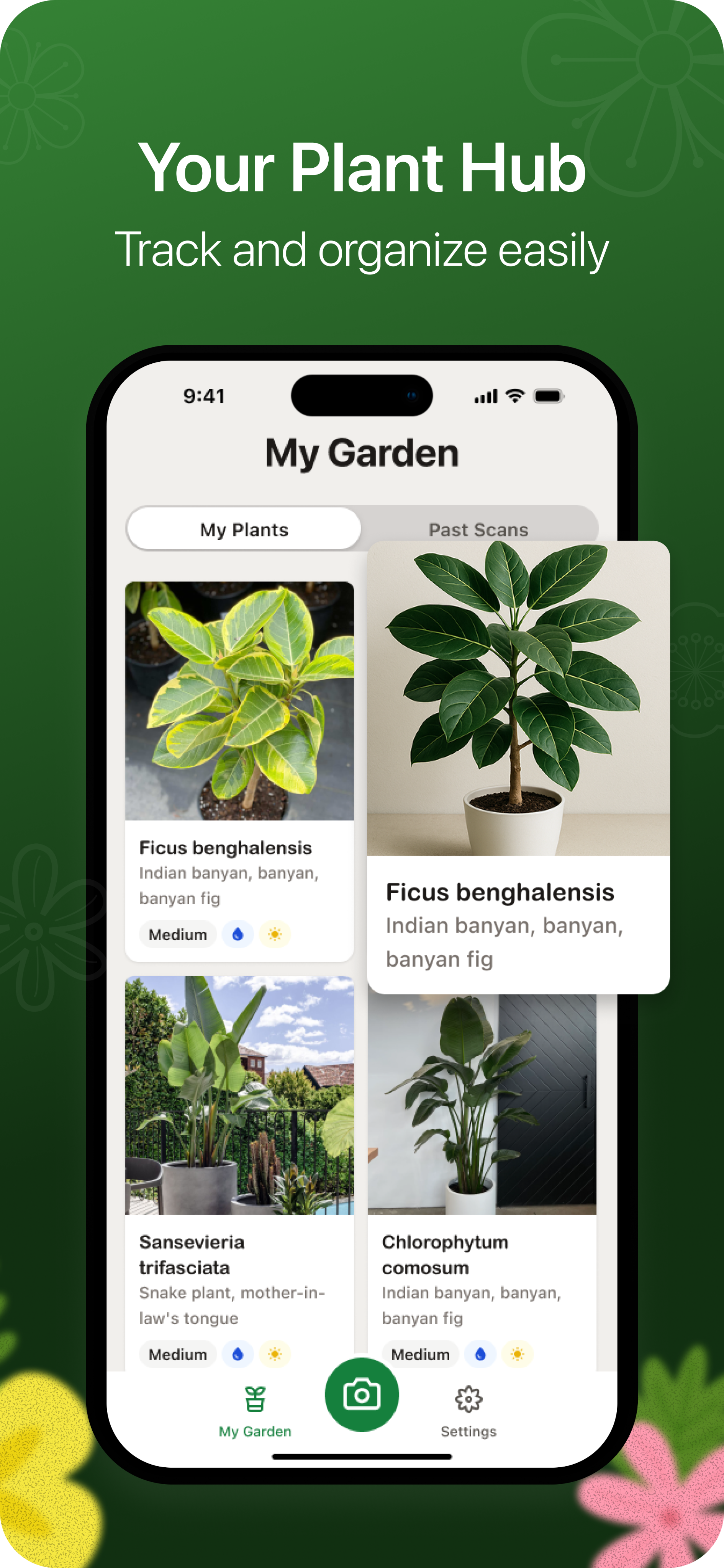
The user collects plants, keeps track of them, and takes care of them
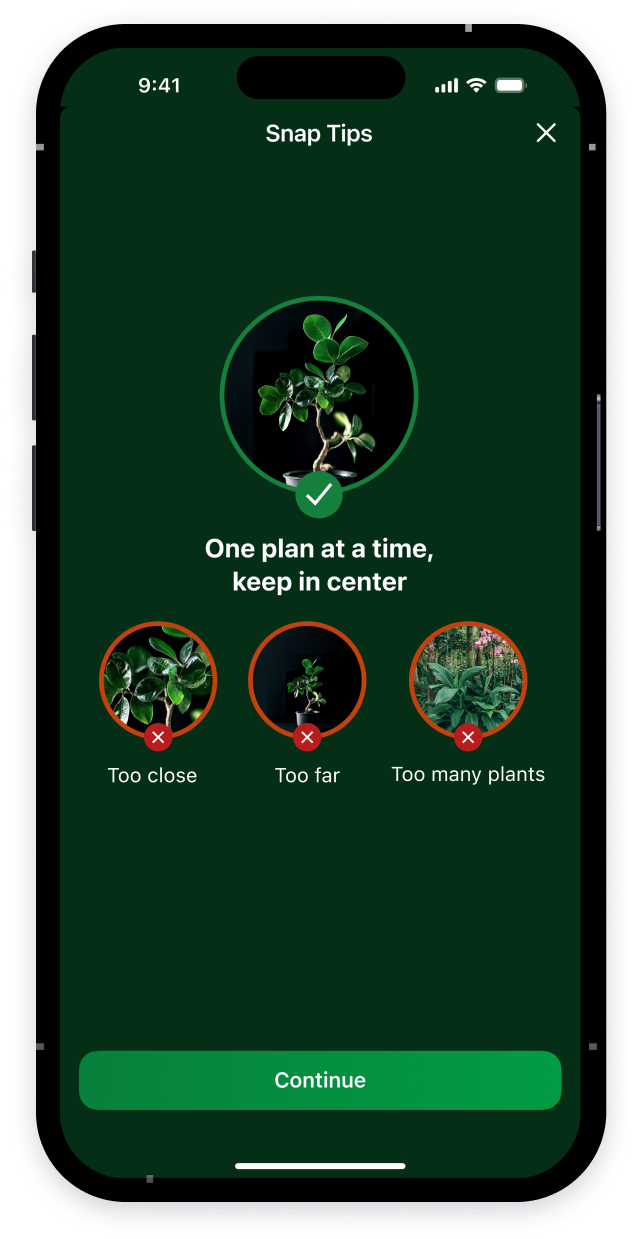
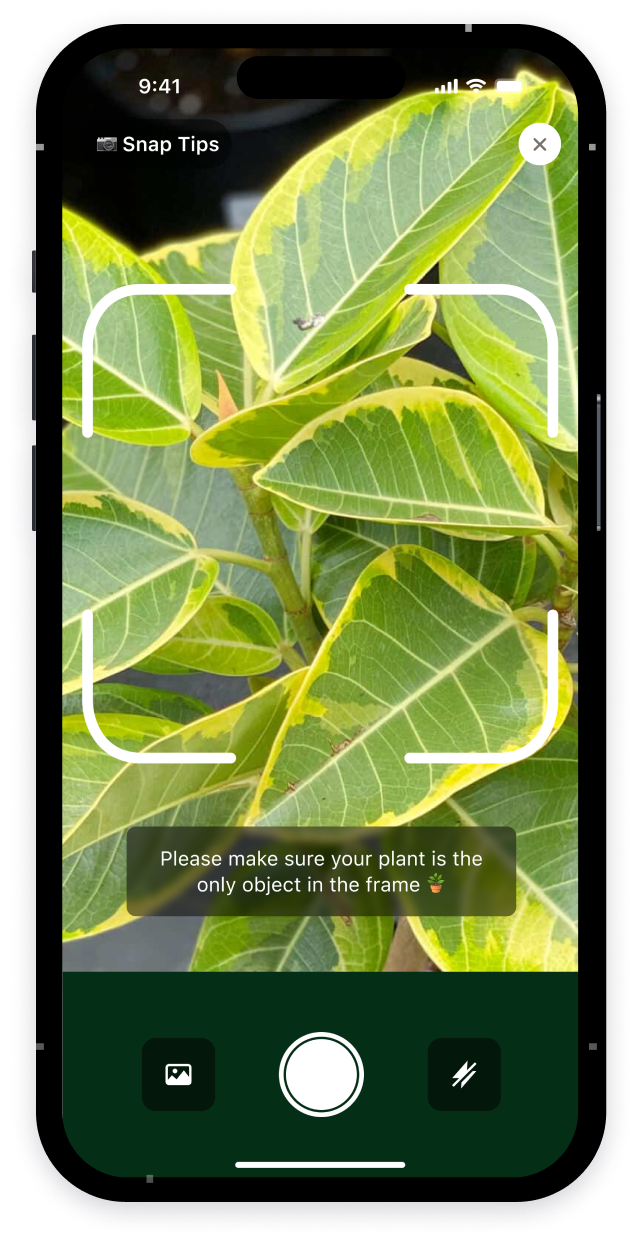
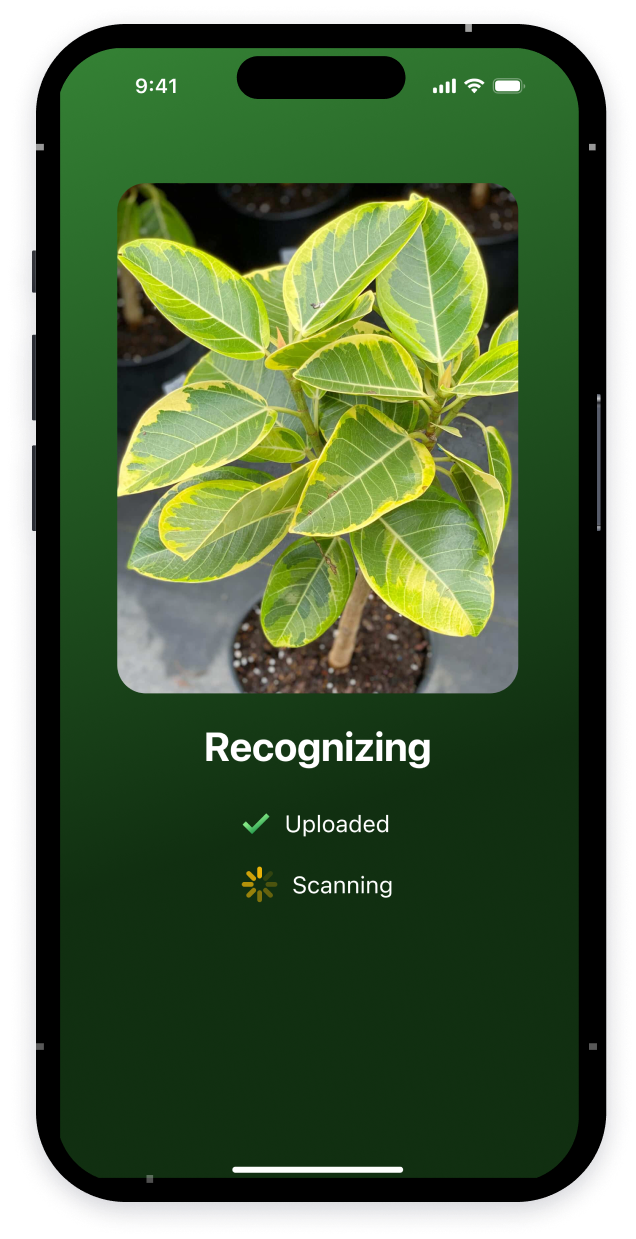
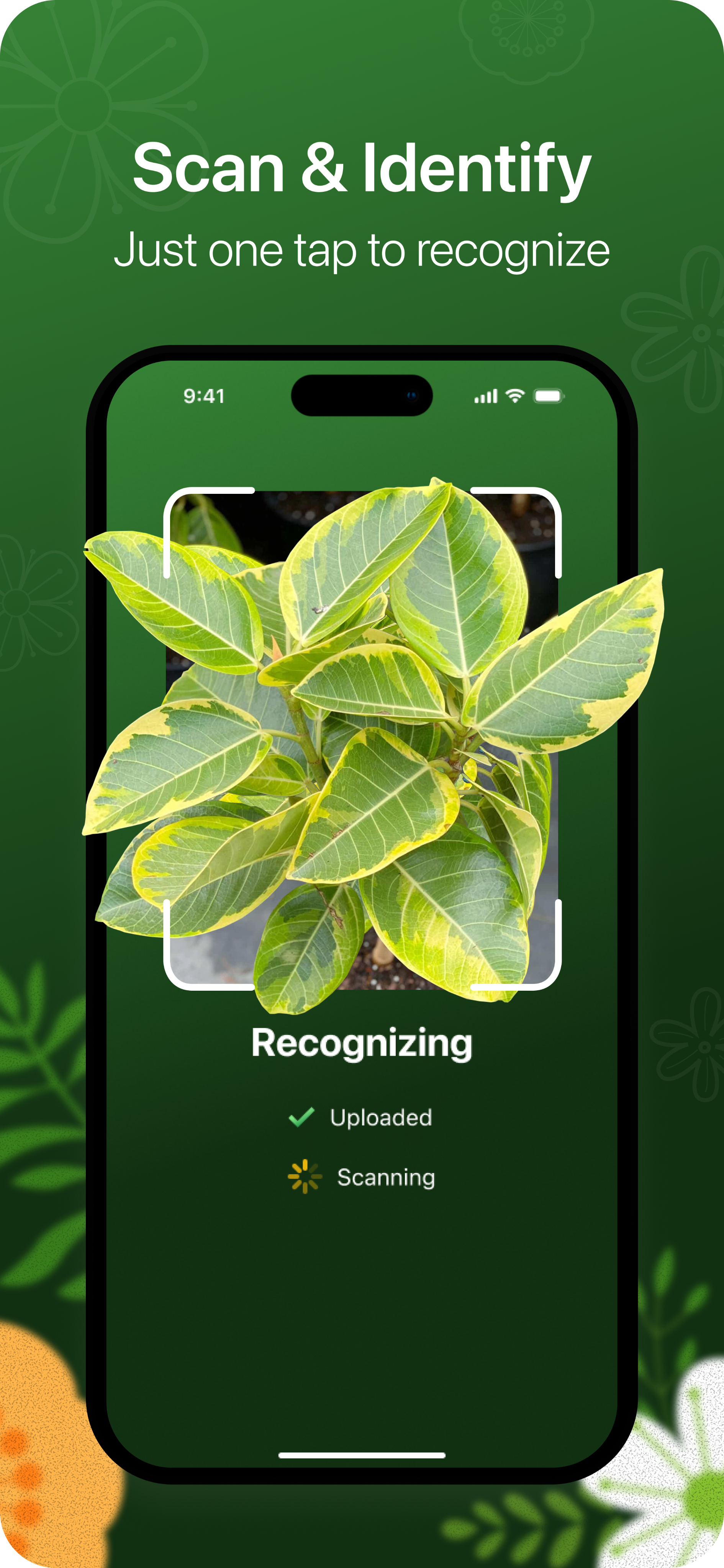
Plant Recognition
The user takes a photo of a plant, and the app accurately identifies it
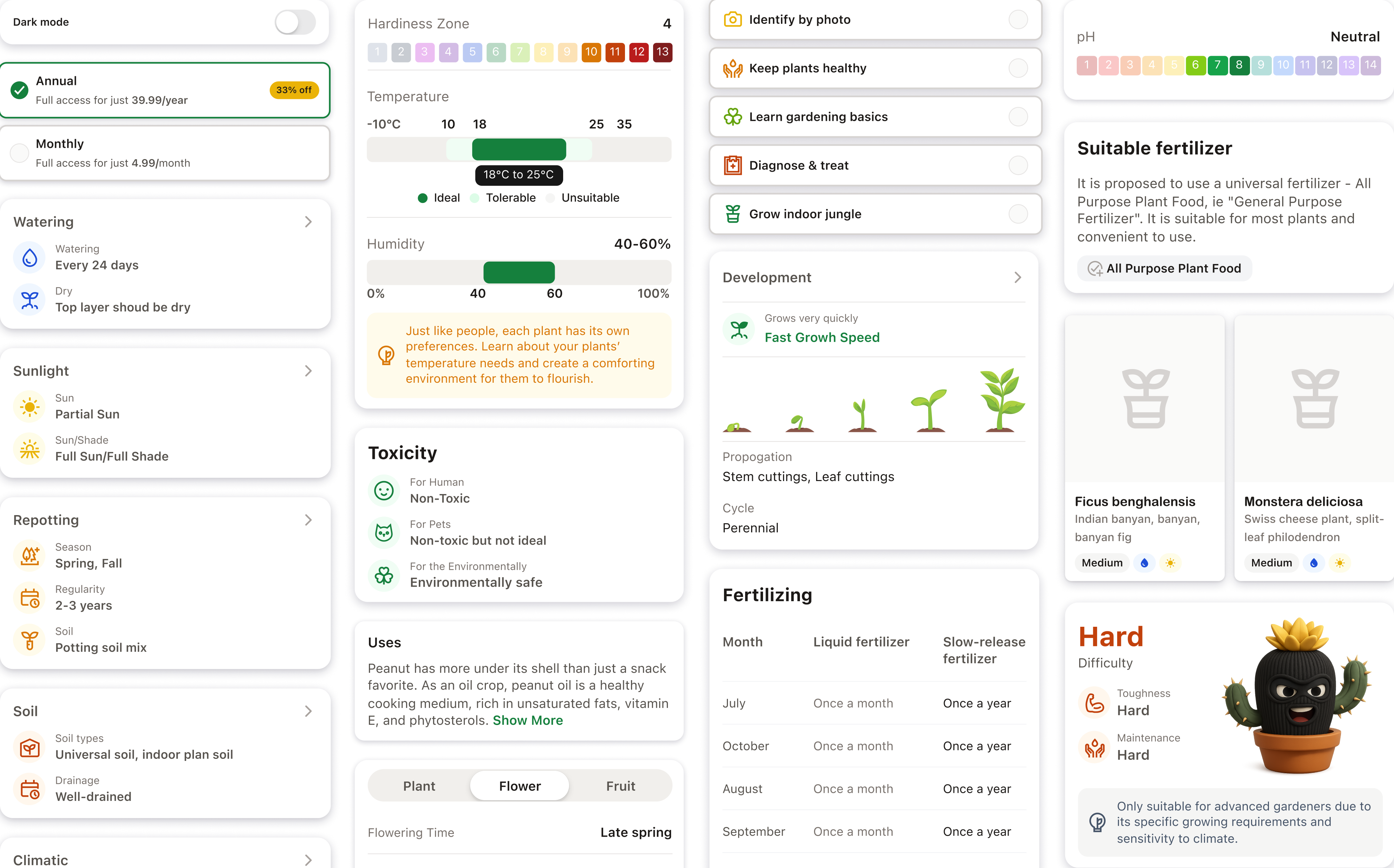
Informative Plant Card
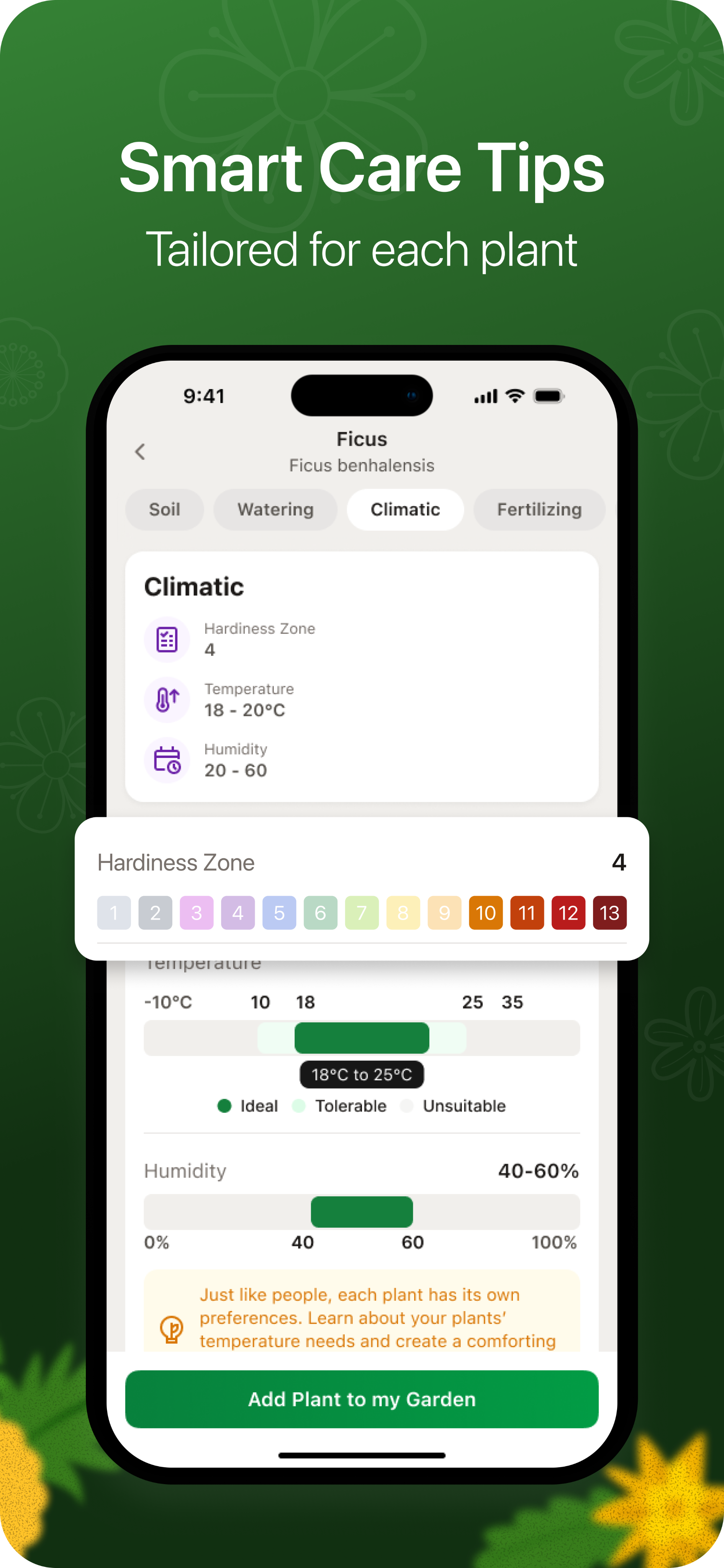
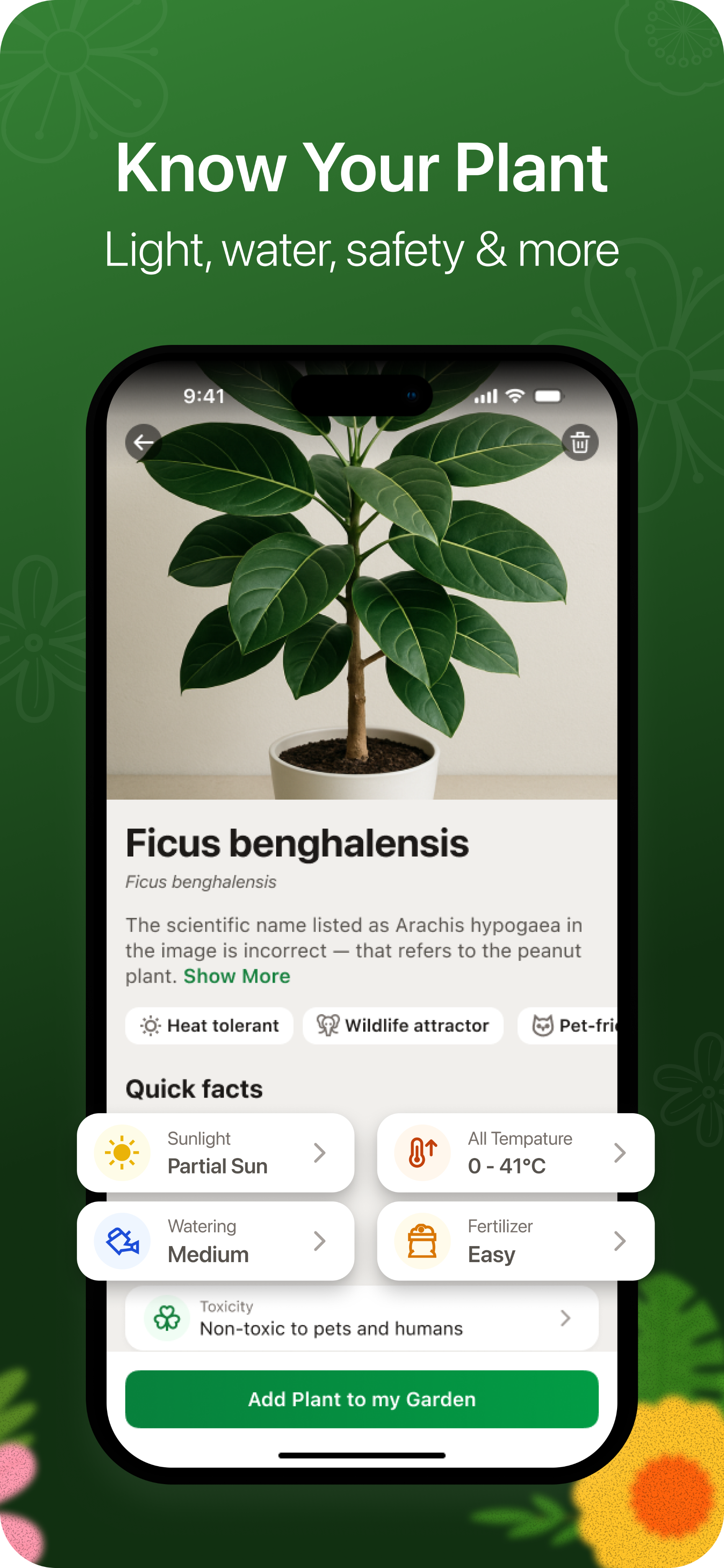
The prototype demonstrates how Pot recognizes a plant and generates a detailed card with facts, characteristics, and care recommendations


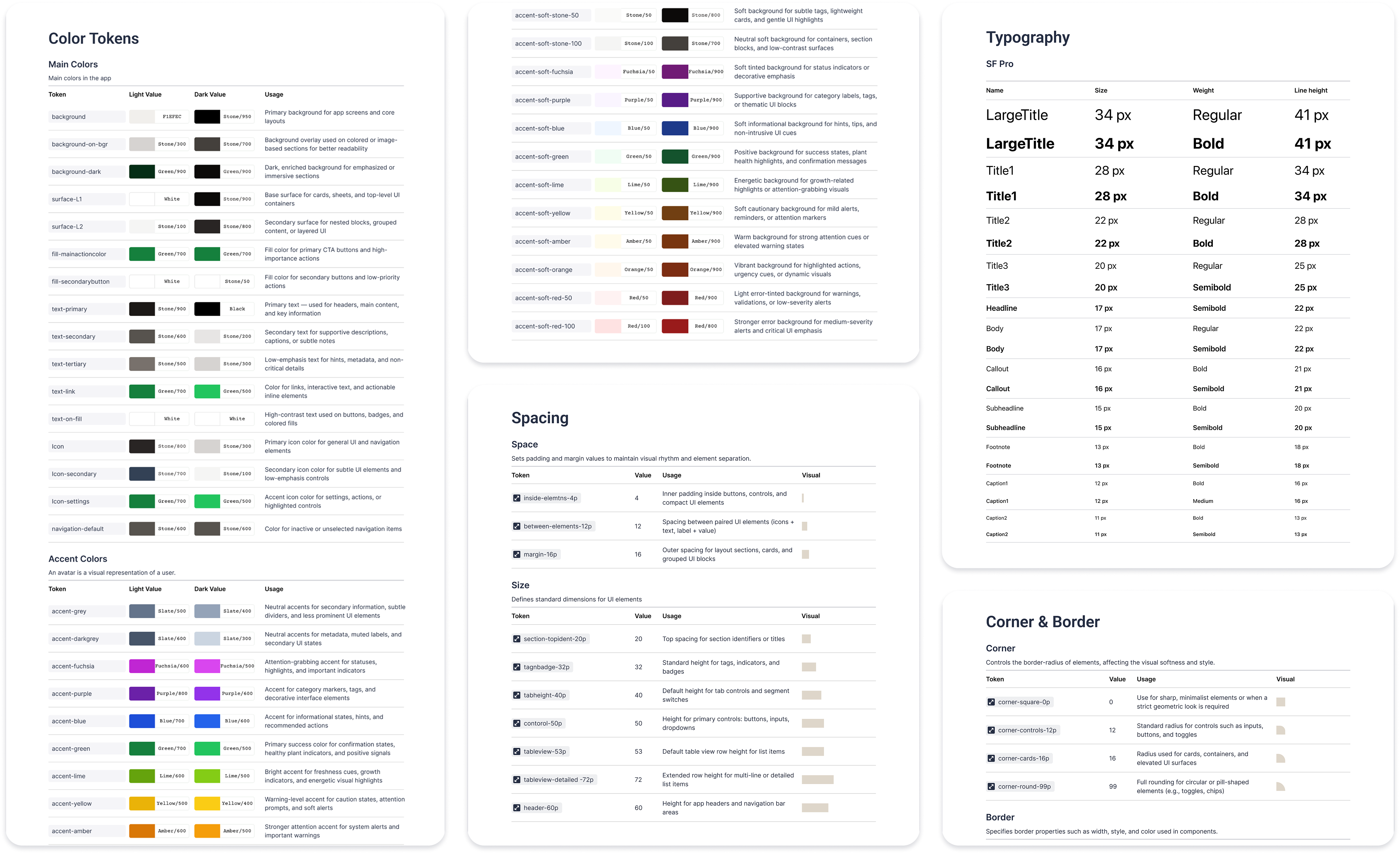
Pot Design System
UI tokens and elements that define Pot’s visual language
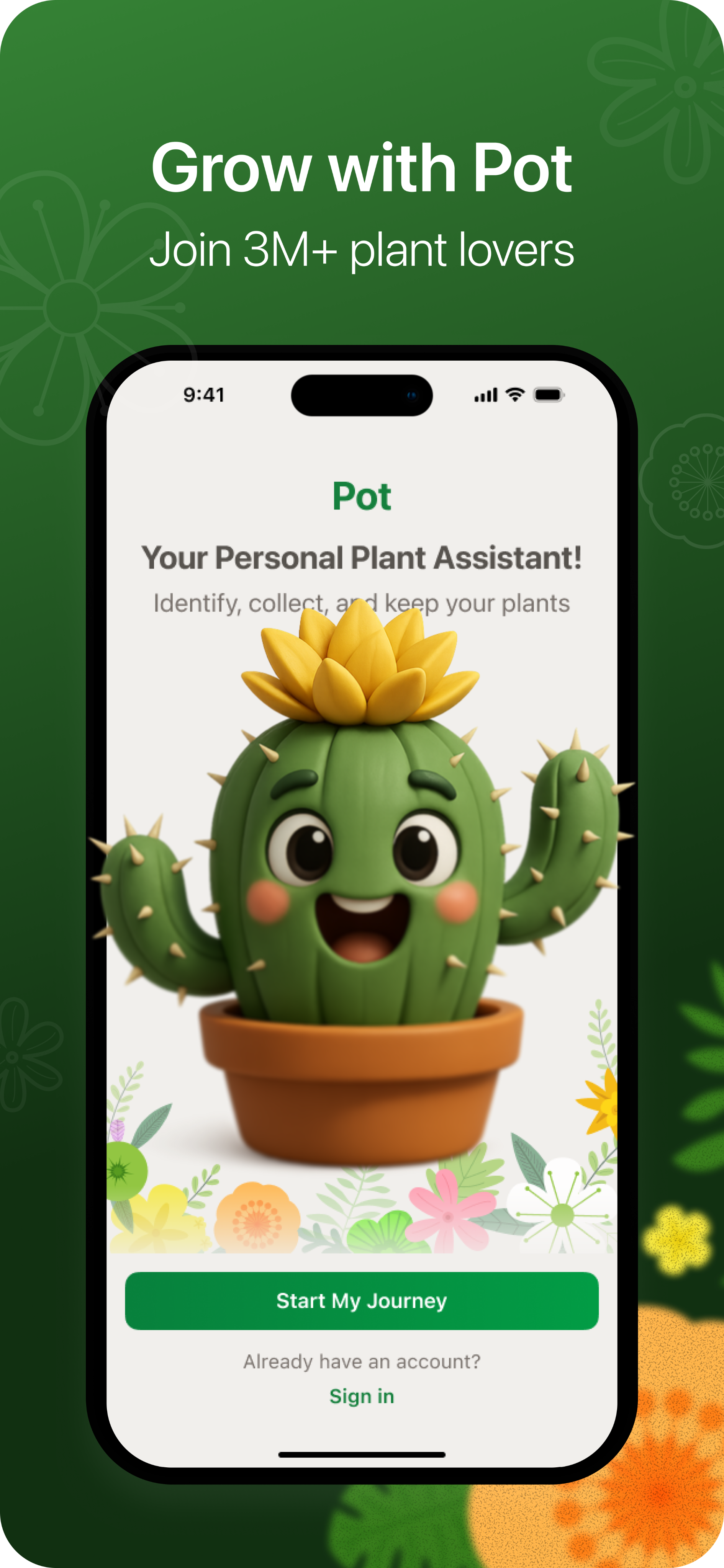
App Store Screenshots
A selection of screens that convey a clear, natural, and harmonious Pot experience
Conclusion
Working on Pot allowed me to go through the full product creation cycle — from research and scenario design to visual design and the development of a design system. I tested and prototyped key user flows, which helped validate interaction logic and refine interface details before the development stage
The project strengthened my competencies in system design, working with dual color themes, and creating an emotionally friendly mobile user experience
See also

CRYPTO EXCHANGE
E-COMMERCE PLATFORM

Inspection Platform

Design system

Brand identity & logo
Pot — iOS Mobile Application — UX/UI Design, Design System, Prototyping
Pot App
Overview
Pot is a mobile application that helps users identify plants using the camera, monitor their condition, and receive personalized care recommendations
I worked on personas and their stories, usage scenarios, design system, prototyping, and interaction with an AI assistant
I also adapted the interface for light and dark themes, ensuring visual consistency and comfortable perception
In addition, I developed a set of promo screens for the App Store that reflect key scenarios and benefits of the application, forming a cohesive visual brand perception
Role
UX/UI Designer
Key Responsibilities
Research, creation of user scenarios, visual design, prototyping, and design system development
Team
UX/UI designer, product manager, iOS developer
Timeline
5 – 6 months
Task Description
Most plant care applications are overloaded with functionality and fail to create an emotional connection with the user. The main goal of Pot is to make plant care a simple, clear, and enjoyable process.
The main goal of Pot is to make plant care a simple, clear, and enjoyable process.
The application should help people learn more about their plants, take care of them, and enjoy the experience
Competitor Analysis & Insights
To understand which UX solutions truly help users take care of plants, I tested 6 popular applications (PlantIn, Blossom, PictureThis, Plantum, Greg, Planto) and went through typical scenarios — plant identification, browsing plant cards, receiving care tips, and interacting with an AI assistant — and identified common user experience issues
Key Problems
- Overloaded onboarding: forms and ads interfere with an easy start
- Excessive text and terminology without visual cues make the interface feel heavy
- Non-transparent subscription system causes distrust and frustration
- Lack of emotions: assistants feel faceless, interaction feels mechanical
My UX Solutions
- Reduced onboarding to 5 lightweight steps with visual feedback
- Made plant cards structured and visually easy to scan
- Added the Pot AI assistant — a friendly character that helps through dialogue
- Implemented a clear subscription system with explanations and benefits shown directly in context
As a result, a combination of AI recognition, gamification, and visual comfort was created, making plant care feel natural and enjoyable.
User Research
To design an experience that truly helps people take care of plants, I studied user behavior and motivations through interviews and observation of usage scenarios in similar applications
Key Personas
Anna, 28 years old
beginner plant enthusiast
Buys houseplants for comfort. Is afraid of “damaging” them and looks for simple step-by-step advice. Uses the app in the evening at home, often on an iPhone. It is important for her to see visual hints and quickly understand what to do with a plant
Dmitry, 36 years old
passionate collector
Takes care of dozens of plant species, wants to systematize care and receive accurate data. Often uses the app both at work and at home, adds notes for each plant. Values structure, precise parameters, and advanced features
Olga, 45 years old
busy mom
Wants the app to “guide her by the hand” and remind her about watering. Rarely opens the app intentionally — it is more convenient to receive short notifications and tips at the right moment. Prefers a friendly and clear interface without excessive text
Core Scenarios
Identify a plant using the camera
Get plant care recommendations
Track plant condition and reminders
Communicate with an AI assistant for quick tips
UX Flow Design
After analyzing user behavior and scenarios, I visualized the complete user flow of the application. It helped structure interactions — from the first launch to regular plant care — and identify where the user needs support from the AI assistant
Flow Diagram
UI Implementation
The final design conveys an atmosphere of care and comfort: visual comfort, friendliness, and an emotional connection with the user. The Pot AI assistant became the center of the experience, helping users take care of plants step by step. The interface is adapted for light and dark themes to ensure comfortable interaction at any time of day.
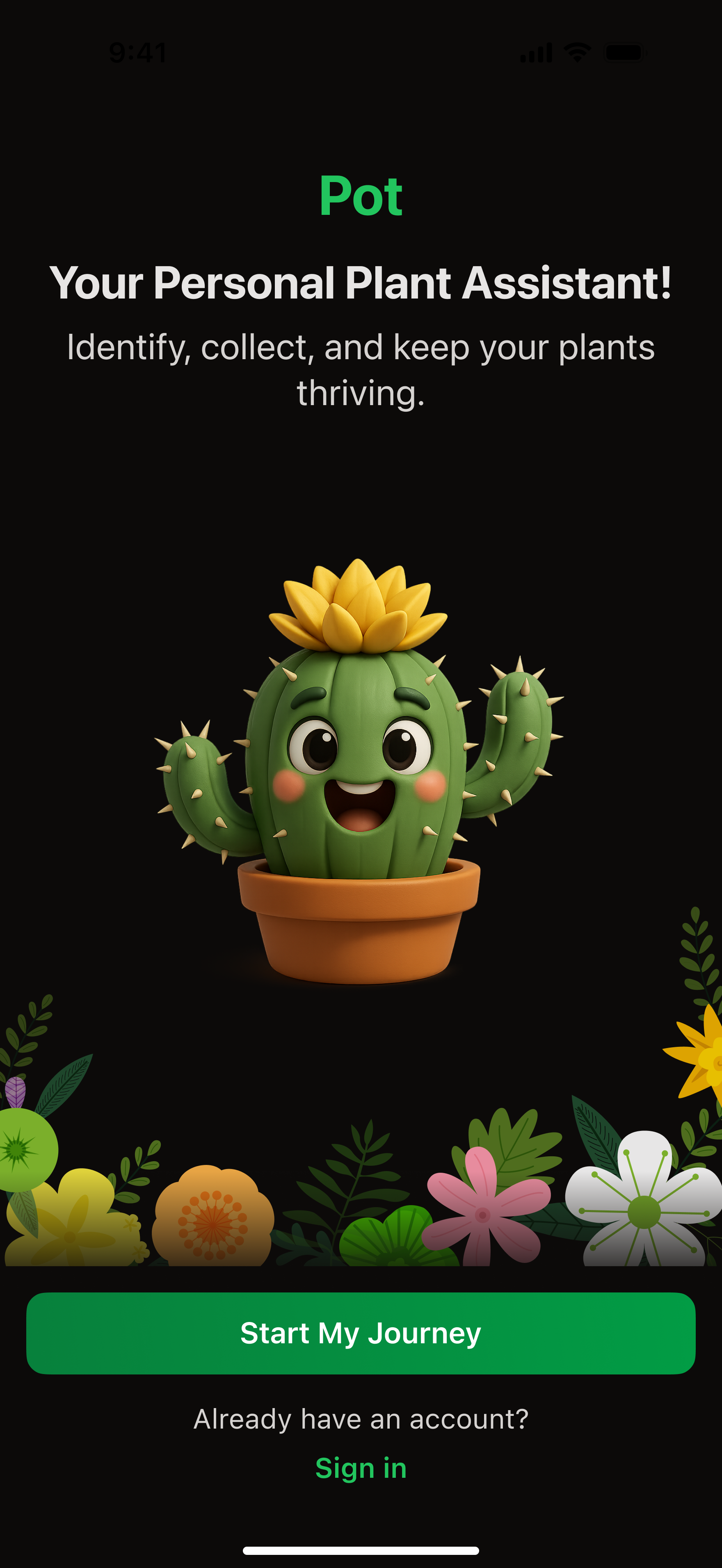
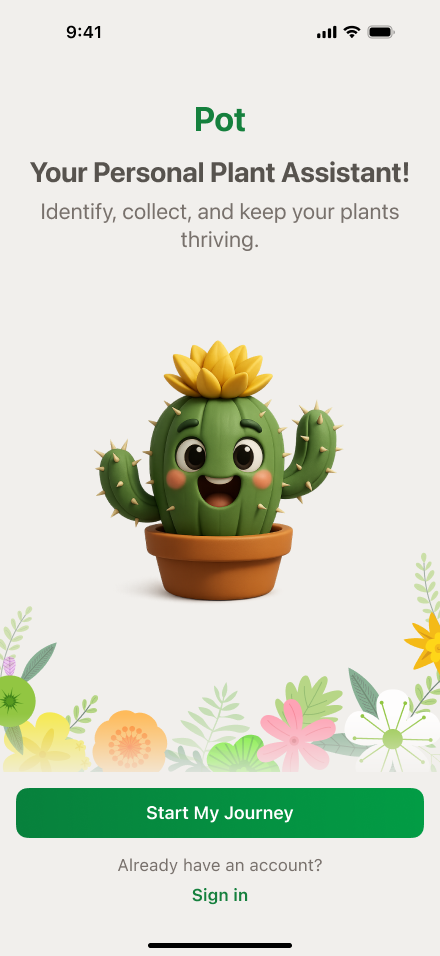
Warm Start
The Pot character instantly evokes sympathy and lowers the barrier before the first action

App Login
The user can get started with Apple ID or email in one click
9:41
Sign in with your email
Password
Sign In
Don’t have an account yet?
Sign up
Forgot you password?
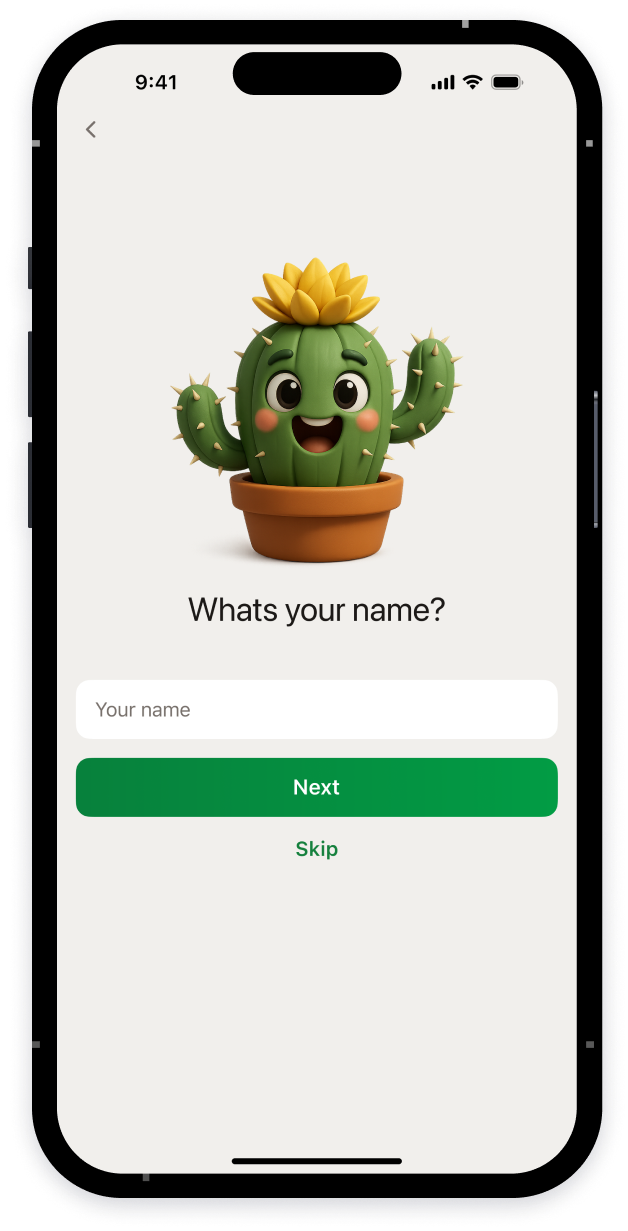
Onboarding
Short questions help customize the app based on the user’s experience, home conditions, and goals
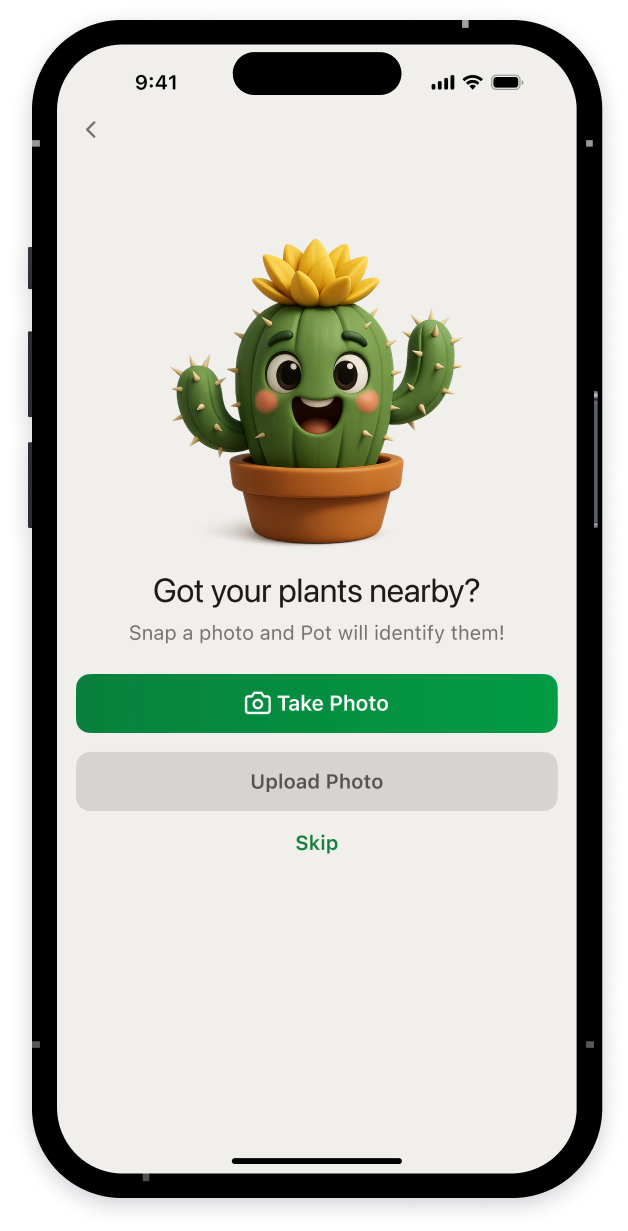
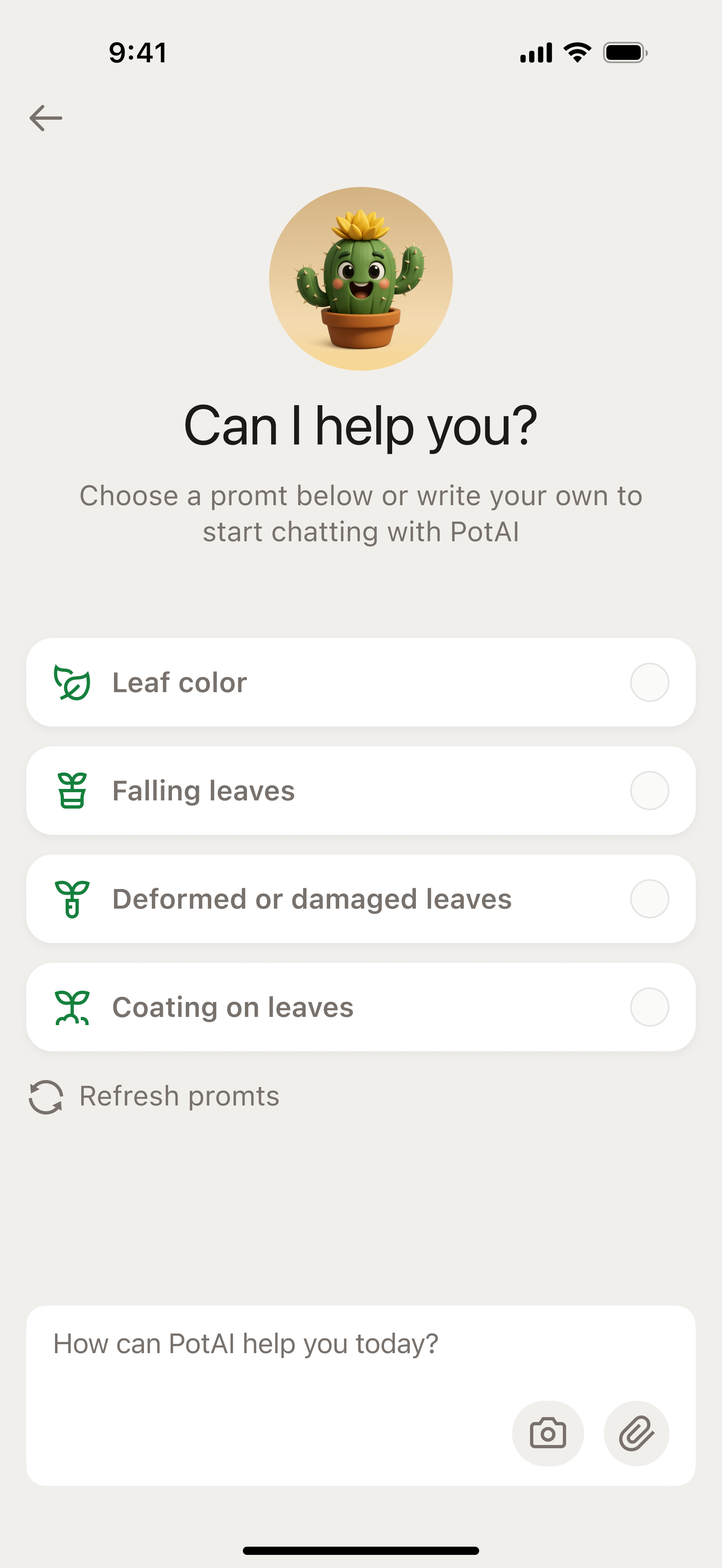
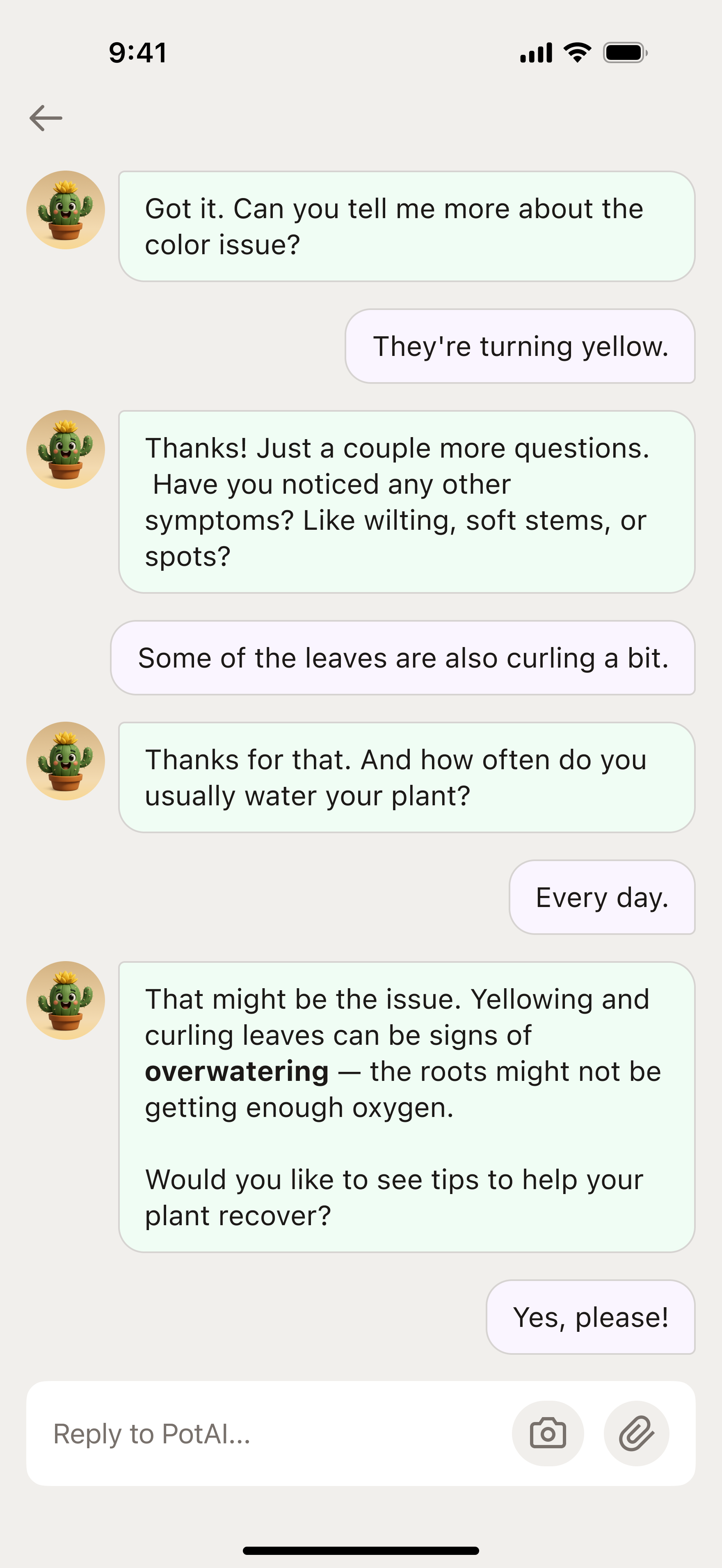
Pot AI Assistance
The AI assistant asks clarifying questions about symptoms and provides recommendations, helping the user diagnose plant issues

Personal Digital Garden
The user collects plants, keeps track of them, and takes care of them
Plant Recognition
The user takes a photo of a plant, and the app accurately identifies it
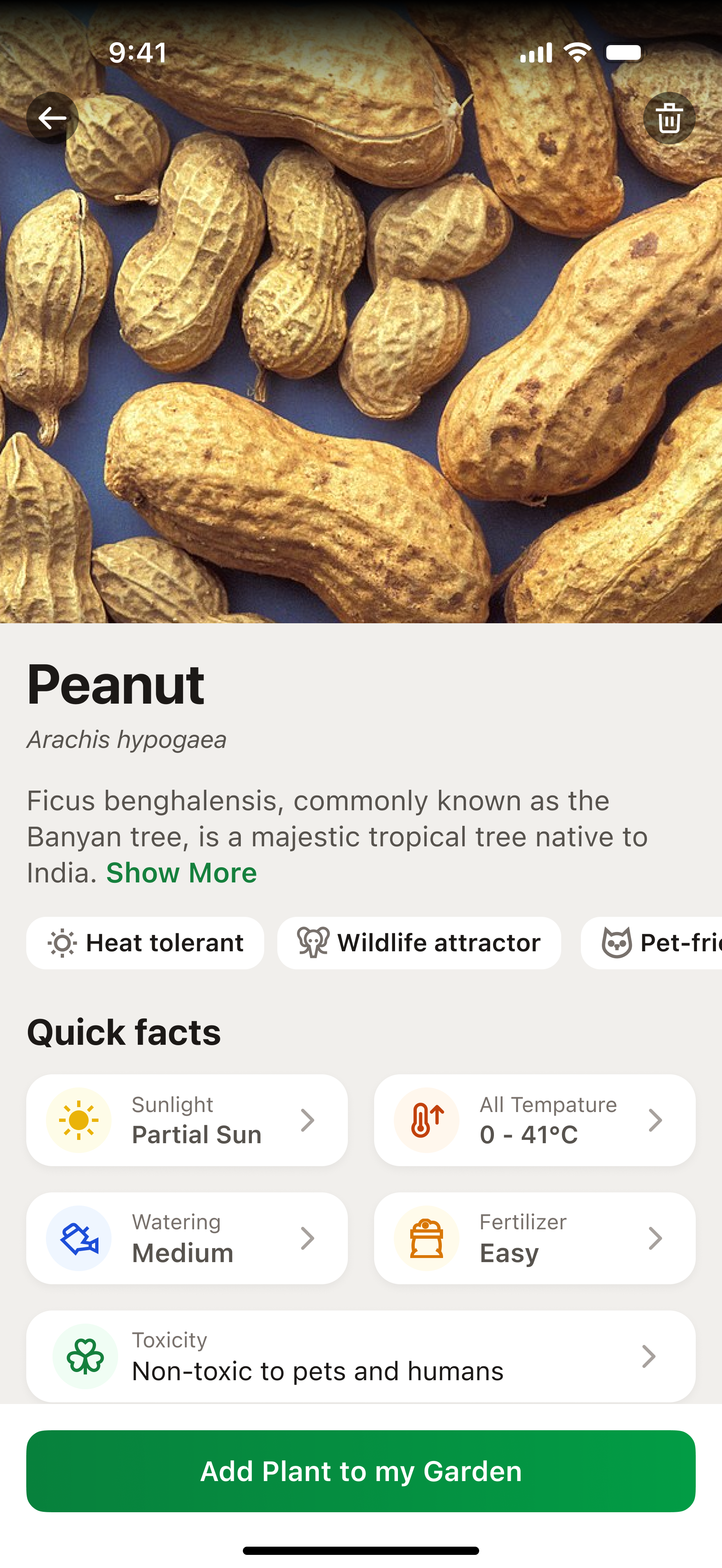
Informative Plant Card
The prototype demonstrates how Pot recognizes a plant and generates a detailed card with facts, characteristics, and care recommendations


Pot Design System
UI tokens and elements that define Pot’s visual language
App Store Screenshots
A selection of screens that convey a clear, natural, and harmonious Pot experience
Conclusion
Working on Pot allowed me to go through the full product creation cycle — from research and scenario design to visual design and the development of a design system. I tested and prototyped key user flows, which helped validate interaction logic and refine interface details before the development stage
The project strengthened my competencies in system design, working with dual color themes, and creating an emotionally friendly mobile user experience
See also
CRYPTO EXCHANGE
E-COMMERCE PLATFORM
Inspection Platform
Design system
Brand identity & logo

Pot — iOS Mobile Application — UX/UI Design, Design System, Prototyping
Pot App
Overview
Pot is a mobile application that helps users identify plants using the camera, monitor their condition, and receive personalized care recommendations
I worked on personas and their stories, usage scenarios, design system, prototyping, and interaction with an AI assistantI also adapted the interface for light and dark themes, ensuring visual consistency and comfortable perception
In addition, I developed a set of promo screens for the App Store that reflect key scenarios and benefits of the application, forming a cohesive visual brand perception
Role
UX/UI Designer
Key Responsibilities
Research, creation of user scenarios, visual design, prototyping, and design system development
Team
UX/UI designer, product manager, iOS developer
Timeline
5 – 6 months
Task Description
Most plant care applications are overloaded with functionality and fail to create an emotional connection with the user. The main goal of Pot is to make plant care a simple, clear, and enjoyable process.The application should help people learn more about their plants, take care of them, and enjoy the experience
Competitor Analysis & Insights
To understand which UX solutions truly help users take care of plants, I tested 6 popular applications (PlantIn, Blossom, PictureThis, Plantum, Greg, Planto) and went through typical scenarios — plant identification, browsing plant cards, receiving care tips, and interacting with an AI assistant — and identified common user experience issues
Key Problems
- Overloaded onboarding: forms and ads interfere with an easy start
- Excessive text and terminology without visual cues make the interface feel heavy
- Non-transparent subscription system causes distrust and frustration
- Lack of emotions: assistants feel faceless, interaction feels mechanical
My UX Solutions
- Reduced onboarding to 5 lightweight steps with visual feedback
- Made plant cards structured and visually easy to scan
- Added the Pot AI assistant — a friendly character that helps through dialogue
- Implemented a clear subscription system with explanations and benefits shown directly in context
As a result, a combination of AI recognition, gamification, and visual comfort was created, making plant care feel natural and enjoyable.
User Research
To design an experience that truly helps people take care of plants, I studied user behavior and motivations through interviews and observation of usage scenarios in similar applications
Key Personas
Anna, 28 years old
beginner plant enthusiast
Buys houseplants for comfort. Is afraid of “damaging” them and looks for simple step-by-step advice. Uses the app in the evening at home, often on an iPhone. It is important for her to see visual hints and quickly understand what to do with a plant
Dmitry, 36 years old
passionate collector
Takes care of dozens of plant species, wants to systematize care and receive accurate data. Often uses the app both at work and at home, adds notes for each plant. Values structure, precise parameters, and advanced features
Olga, 45 years old
busy mom
Wants the app to “guide her by the hand” and remind her about watering. Rarely opens the app intentionally — it is more convenient to receive short notifications and tips at the right moment. Prefers a friendly and clear interface without excessive text
Core Scenarios
Identify a plant using the camera
Get plant care recommendations
Track plant condition and reminders
Communicate with an AI assistant for quick tips
UX Flow Design
After analyzing user behavior and scenarios, I visualized the complete user flow of the application. It helped structure interactions — from the first launch to regular plant care — and identify where the user needs support from the AI assistant
Flow Diagram
UI Implementation
The final design conveys an atmosphere of care and comfort: visual comfort, friendliness, and an emotional connection with the user. The Pot AI assistant became the center of the experience, helping users take care of plants step by step. The interface is adapted for light and dark themes to ensure comfortable interaction at any time of day.
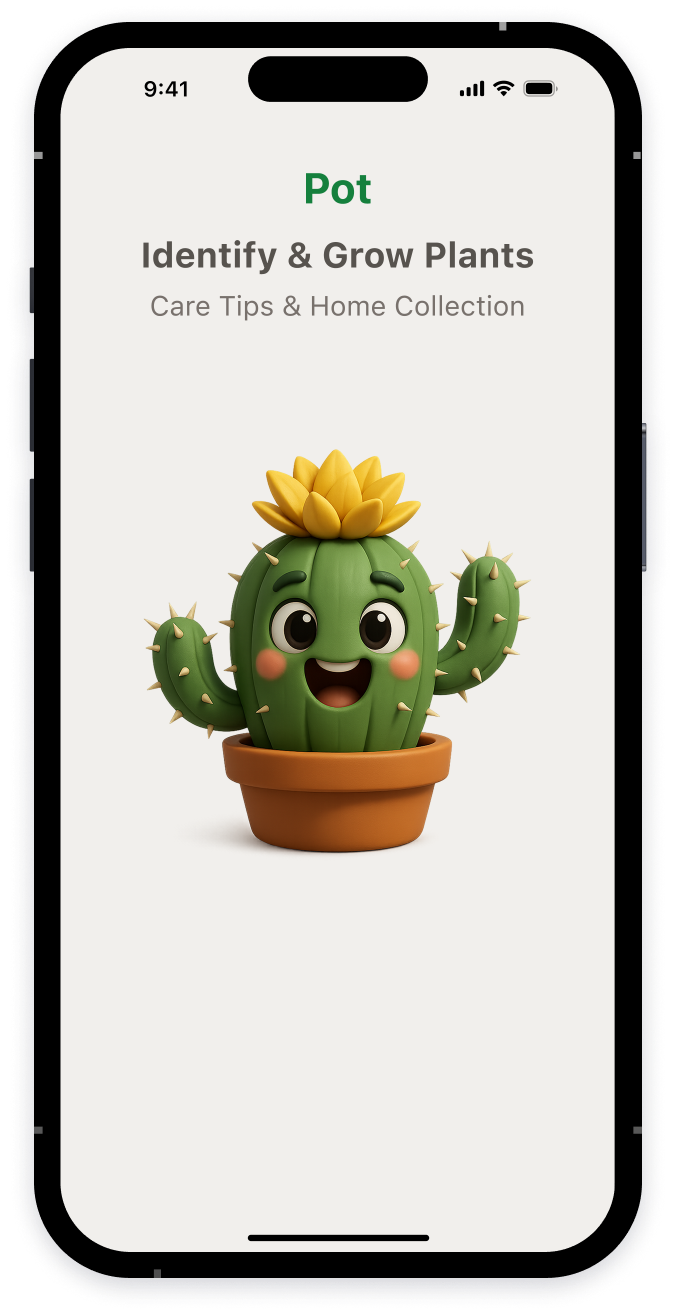
Warm Start
The Pot character instantly evokes sympathy and lowers the barrier before the first action

9:41


Sign in with your email
Password

Repeat password
Sign Up
Already have an account?
Sign In


9:41


Forgot Password
Please enter the email address associated with your account
Send
Already have an account?
Sign in
Forgot you password?


9:41


Check your email
We have sent you password resend instrucstions
Sign In


9:41


Sign in with your email
Password

Sign In
Don’t have an account yet?
Sign up
Forgot you password?


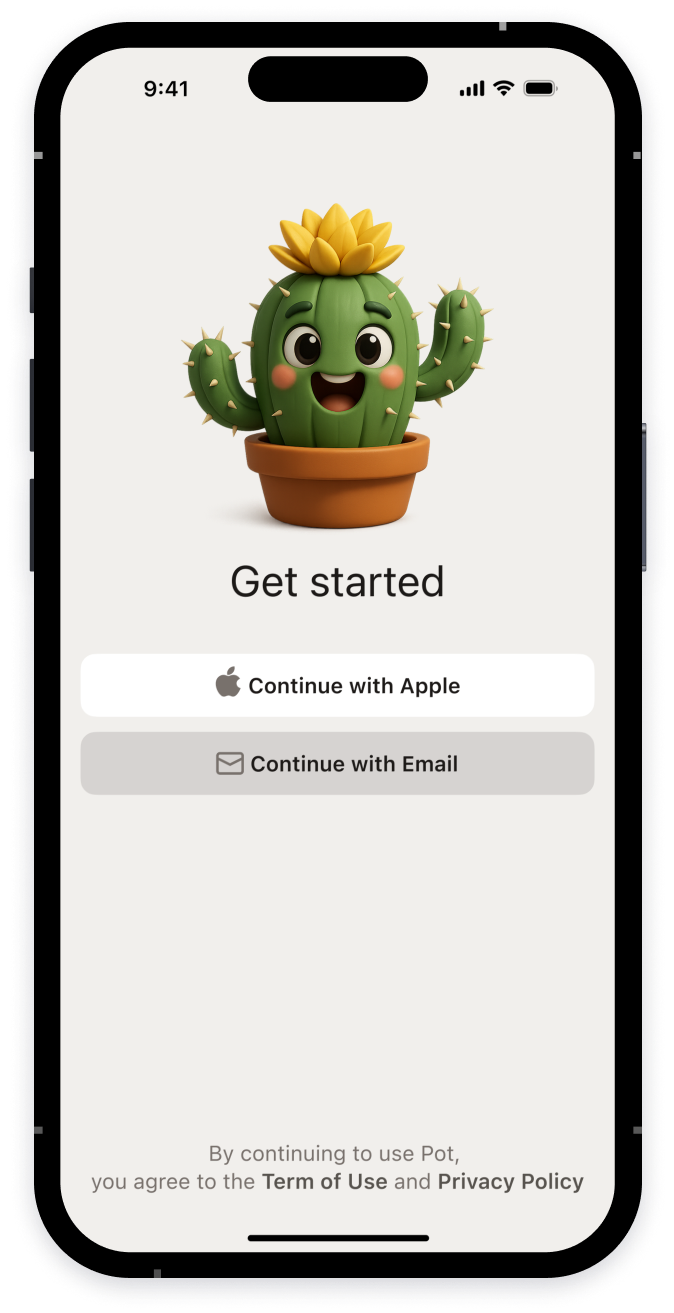
App Login
The user can get started with Apple ID or email in one click

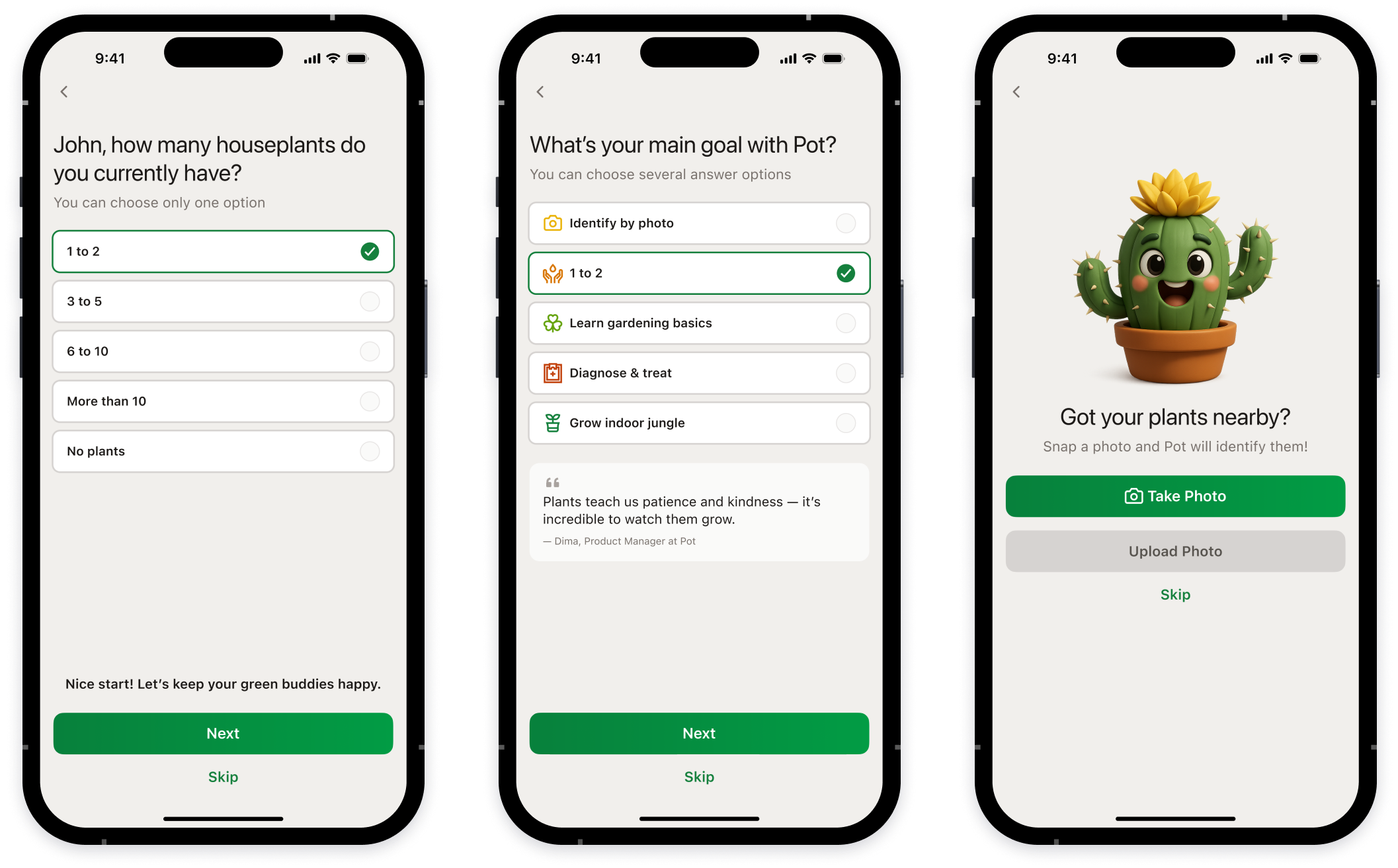
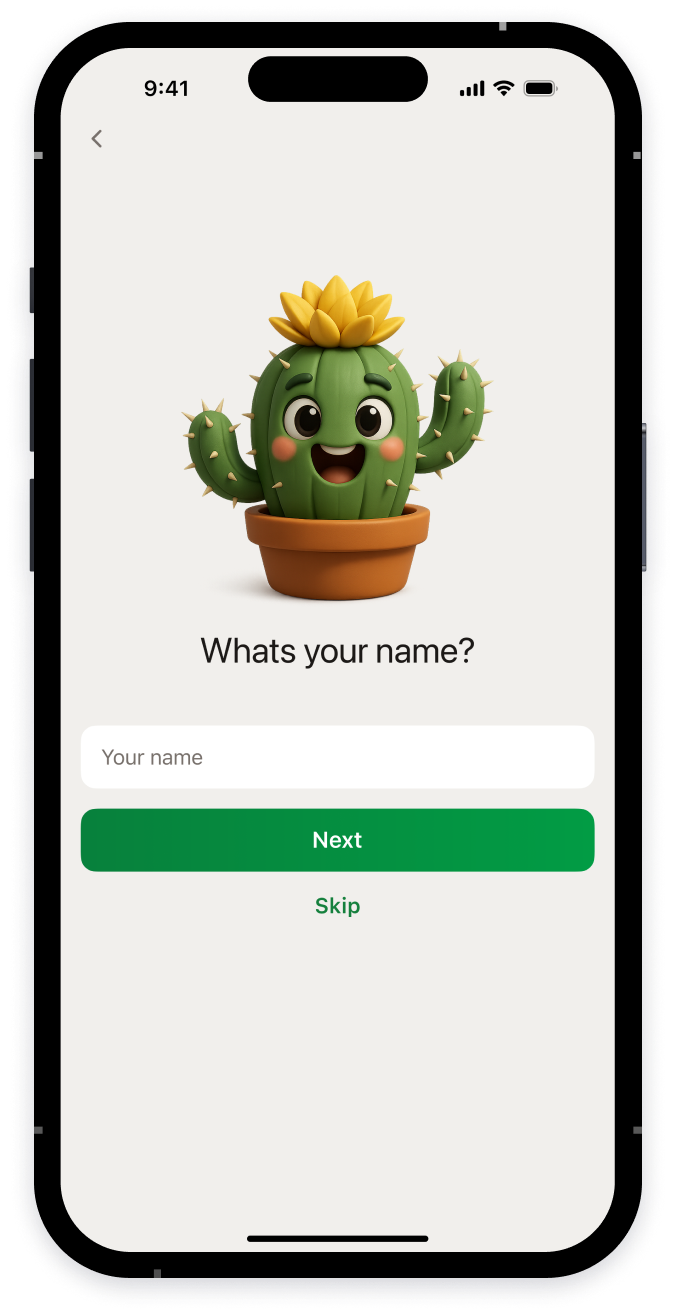
Onboarding
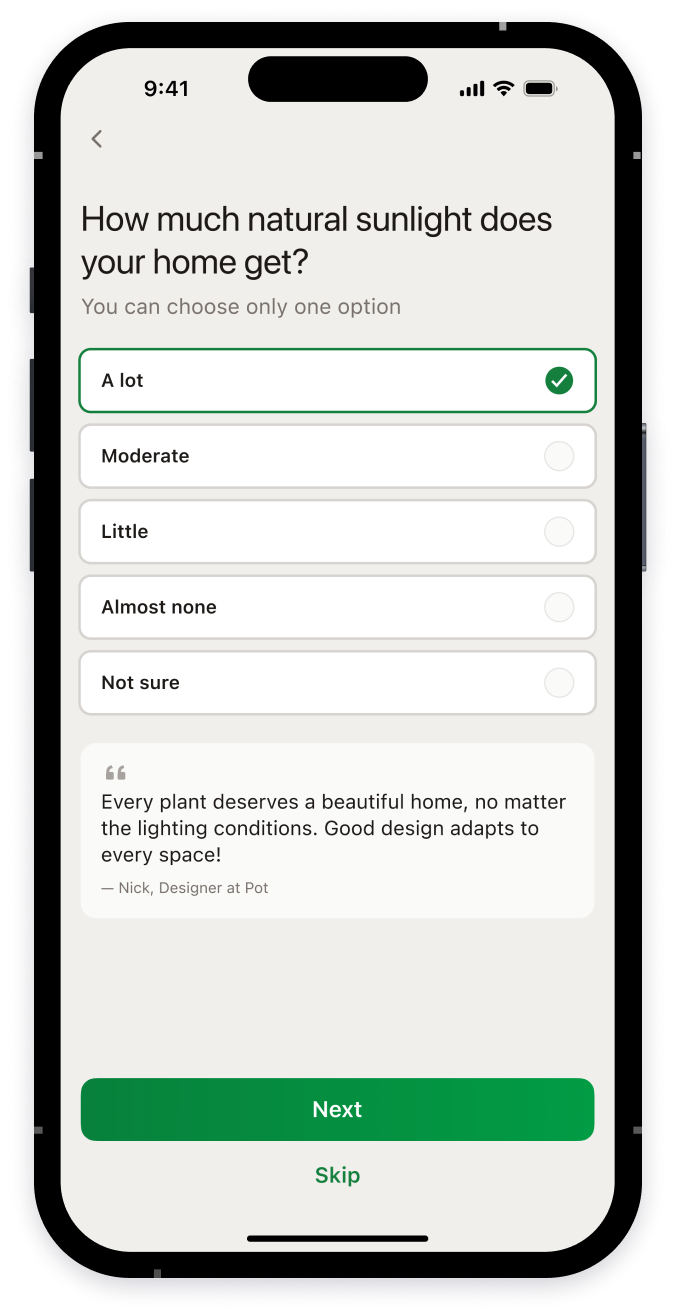
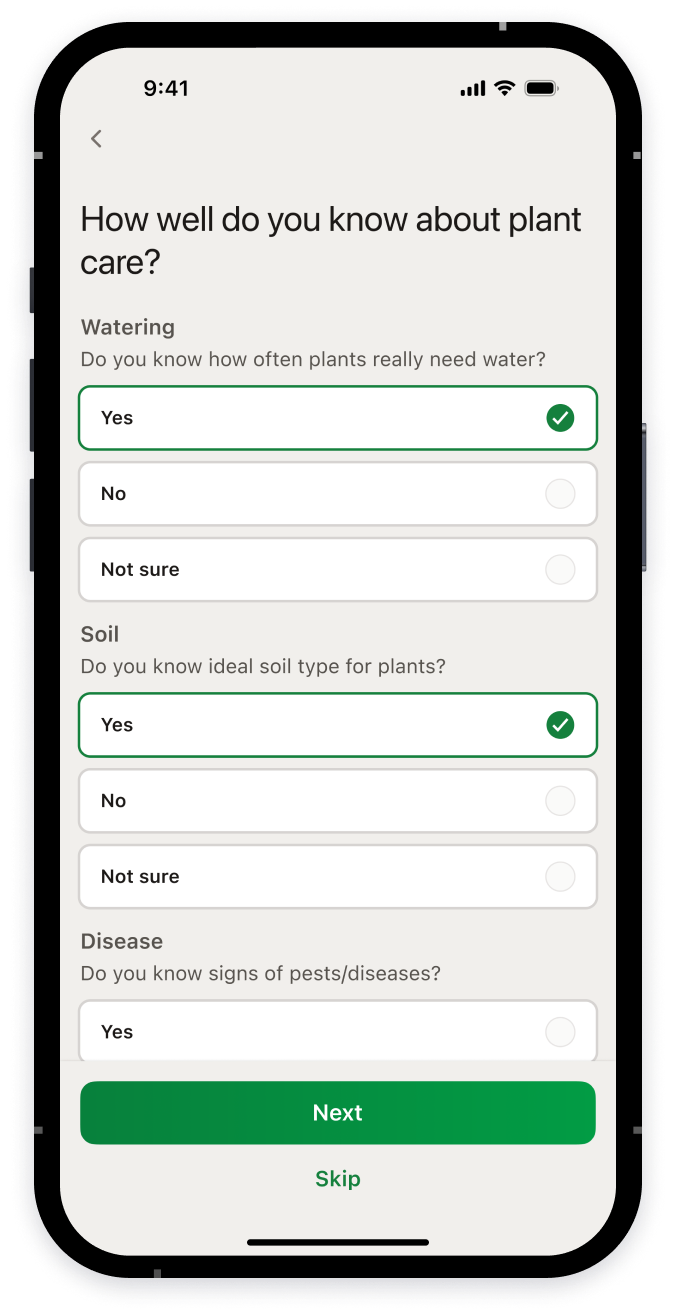
Short questions help customize the app based on the user’s experience, home conditions, and goals
Pot AI Assistance
The AI assistant asks clarifying questions about symptoms and provides recommendations, helping the user diagnose plant issues
Personal Digital Garden
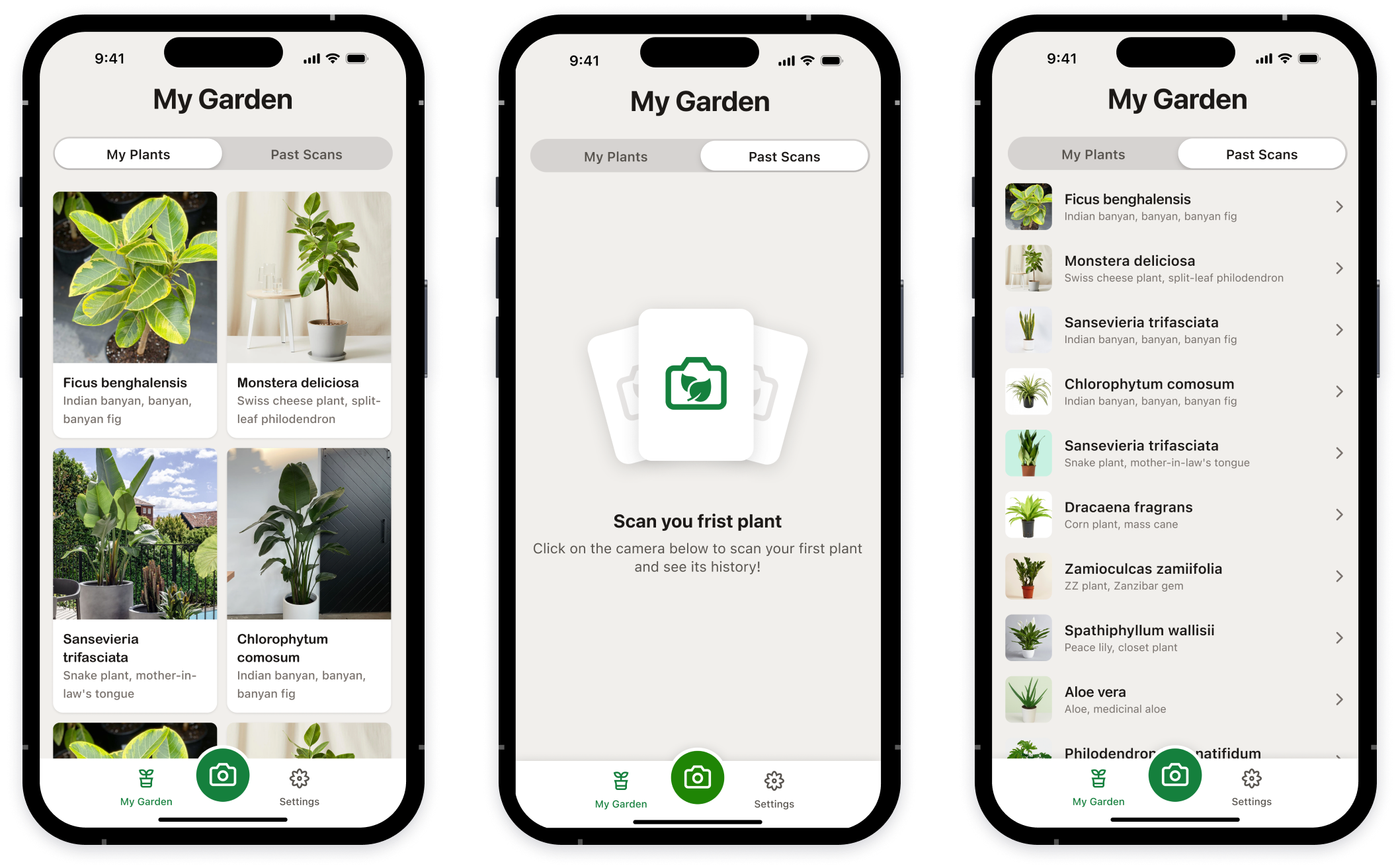
The user collects plants, keeps track of them, and takes care of them
Plant Recognition
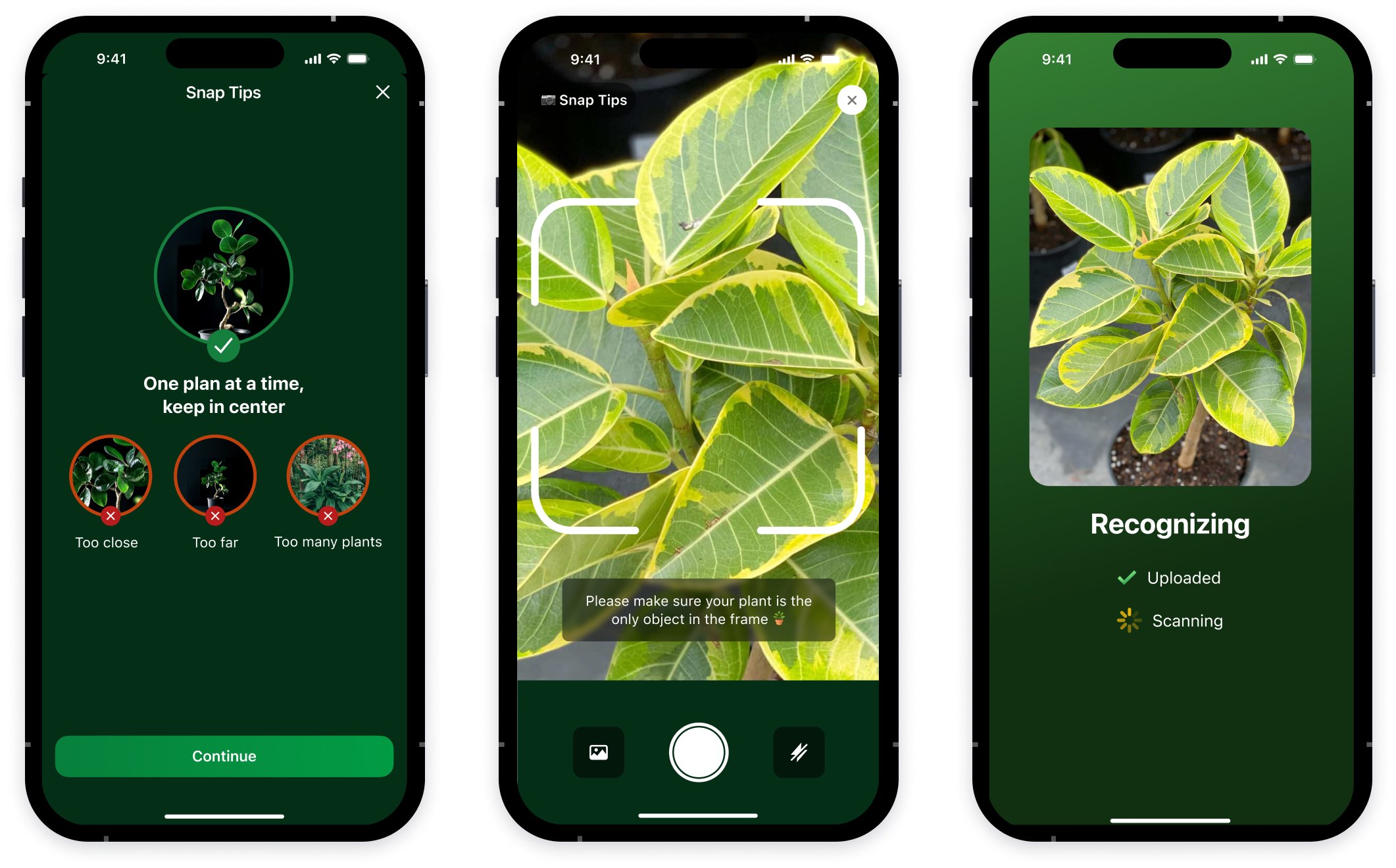
The user takes a photo of a plant, and the app accurately identifies it
Informative Plant Card
The prototype demonstrates how Pot recognizes a plant and generates a detailed card with facts, characteristics, and care recommendations

Pot Design System
UI tokens and elements that define Pot’s visual language


App Store Screenshots
A selection of screens that convey a clear, natural, and harmonious Pot experience
Conclusion
Working on Pot allowed me to go through the full product creation cycle — from research and scenario design to visual design and the development of a design system. I tested and prototyped key user flows, which helped validate interaction logic and refine interface details before the development stage
The project strengthened my competencies in system design, working with dual color themes, and creating an emotionally friendly mobile user experience
See also
CRYPTO EXCHANGE
E-COMMERCE PLATFORM
Inspection Platform
Design system
Brand identity & logo